Google Search ads can become a quiet growth engine for your Amazon business when you keep two things disciplined: keyword targeting that stays purchase-focused, and tracking that tells you what is working.
Before diving in, this chapter outlines how to build clean ad groups, leverage exact-match keywords, write higher-converting ads with keyword insertion, and consistently track results that matter, both at launch and as campaigns mature.
Stay specific, test calmly, and let small wins compound over time for continued improvement.
Key Takeaways
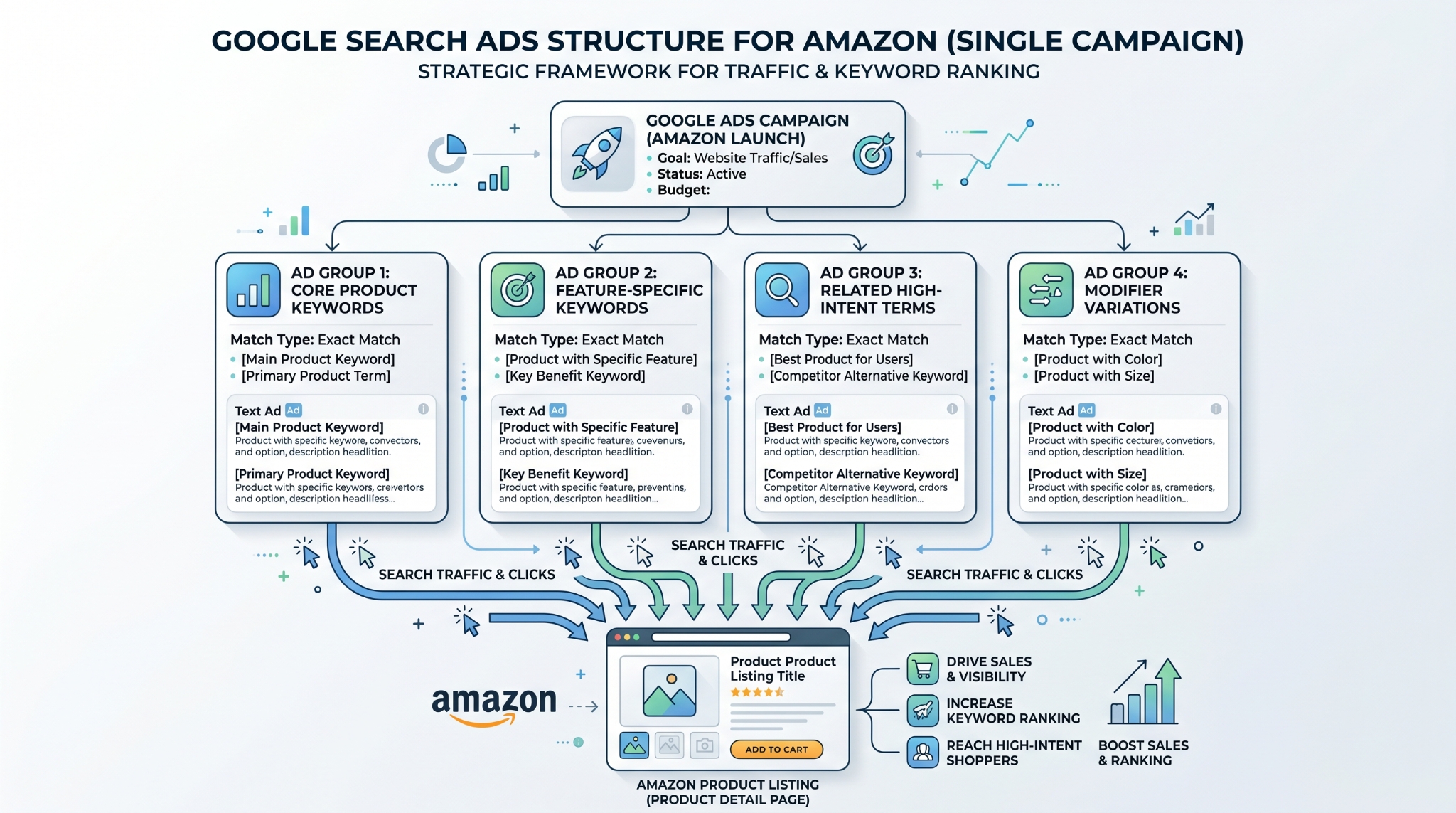
- Use purchase-intent keywords with exact match to avoid wasting spend on browsing traffic.
- Segment ad groups by core product wording to keep your ads highly relevant.
- Start with a controlled bid and scale only after you see consistent signals.
- Apply keyword insertion for headline relevance, and then test multiple ads per ad group for best results.
- Track what matters: promo redemptions, attribution when available, and Amazon keyword ranking.
- Leverage SellerSprite Seller Tools to build cleaner keyword lists and track ranking changes confidently.
Table of Contents
Ad Group Setup for Exact Match Targeting
Your ad group is where you tell Google which searches you want to appear for. When your structure is clean, performance is easier to control and scale.
One ad group or multiple ad groups
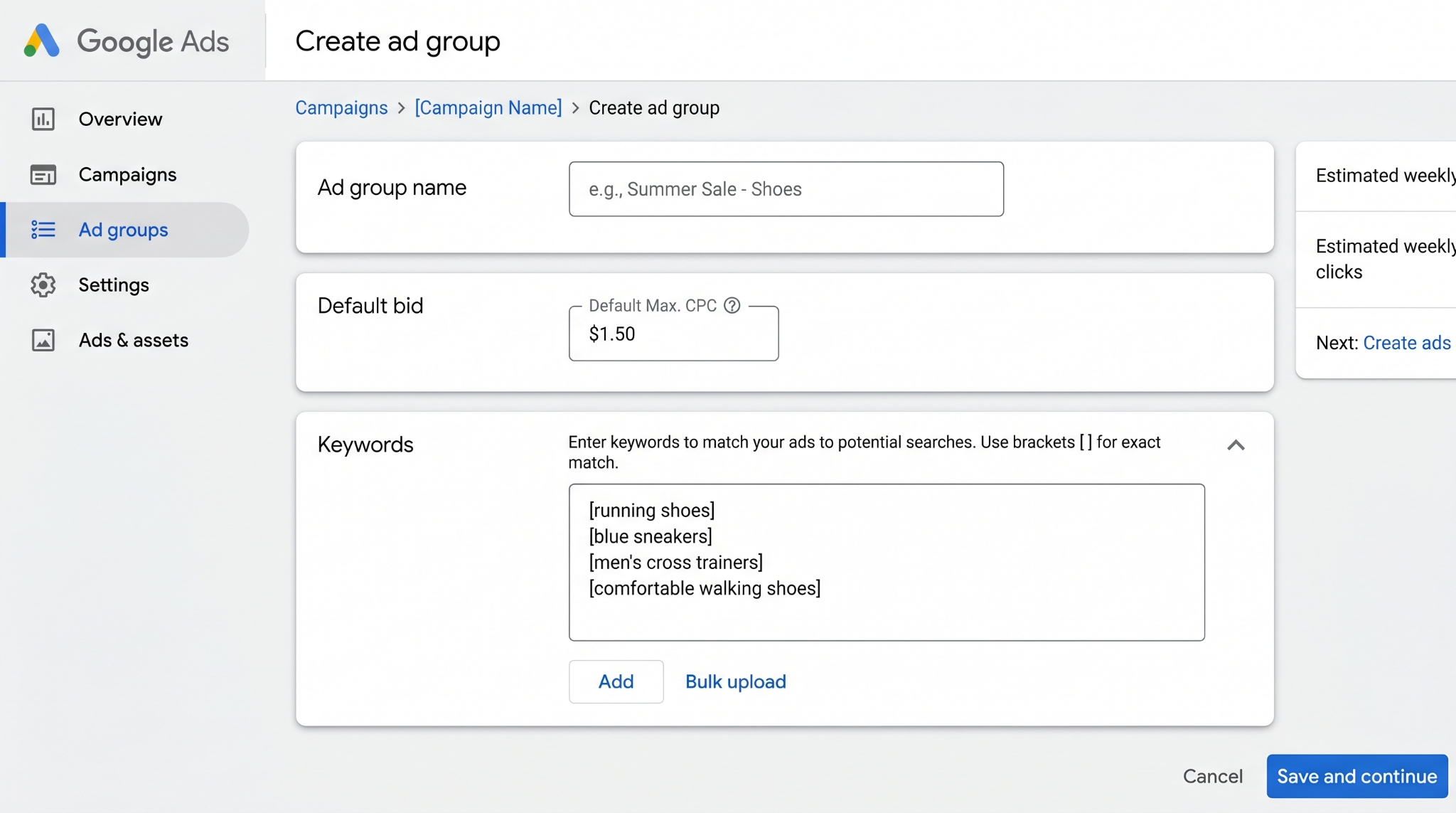
Simplify by using one ad group per campaign. For stronger relevance, split ad groups by the main descriptions shoppers use for the product.
Practical rule
If you have two core product phrases that are meaningfully different, create two ad groups. Assign keywords that match each phrase to the appropriate ad group.
Default bid starting point
Set a conservative starting bid in the $0.20 to $0.35 range. Begin with control. Increase bids only if impressions are low and tracking data supports growth.
Keyword Strategy: Purchase Intent First
Google Search can quickly waste money if your keywords are too broad. The safest path is to target only searches that look like someone is ready to buy your exact product.
Use exact match brackets
Place brackets around each keyword to ensure an exact match. Prevent Google from showing ads for loosely related searches that do not convert.
Common mistake
Targeting category-style keywords like "soap accessories" or "best soap molds" drives planning traffic, not buying traffic. Keep your keywords specific to the product the shopper wants to purchase now.
How SellerSprite helps
Use SellerSprite Keyword Mining to create a highly relevant Amazon keyword set. Reuse your highest intent exact keywords for Google Search. Starting with strong Amazon keywords typically brings higher-quality Google traffic.
Long-Tail Keyword Workflow
Long-tail keywords are longer, more specific searches. They tend to be less competitive and often convert better because shopper know exactly what they want.
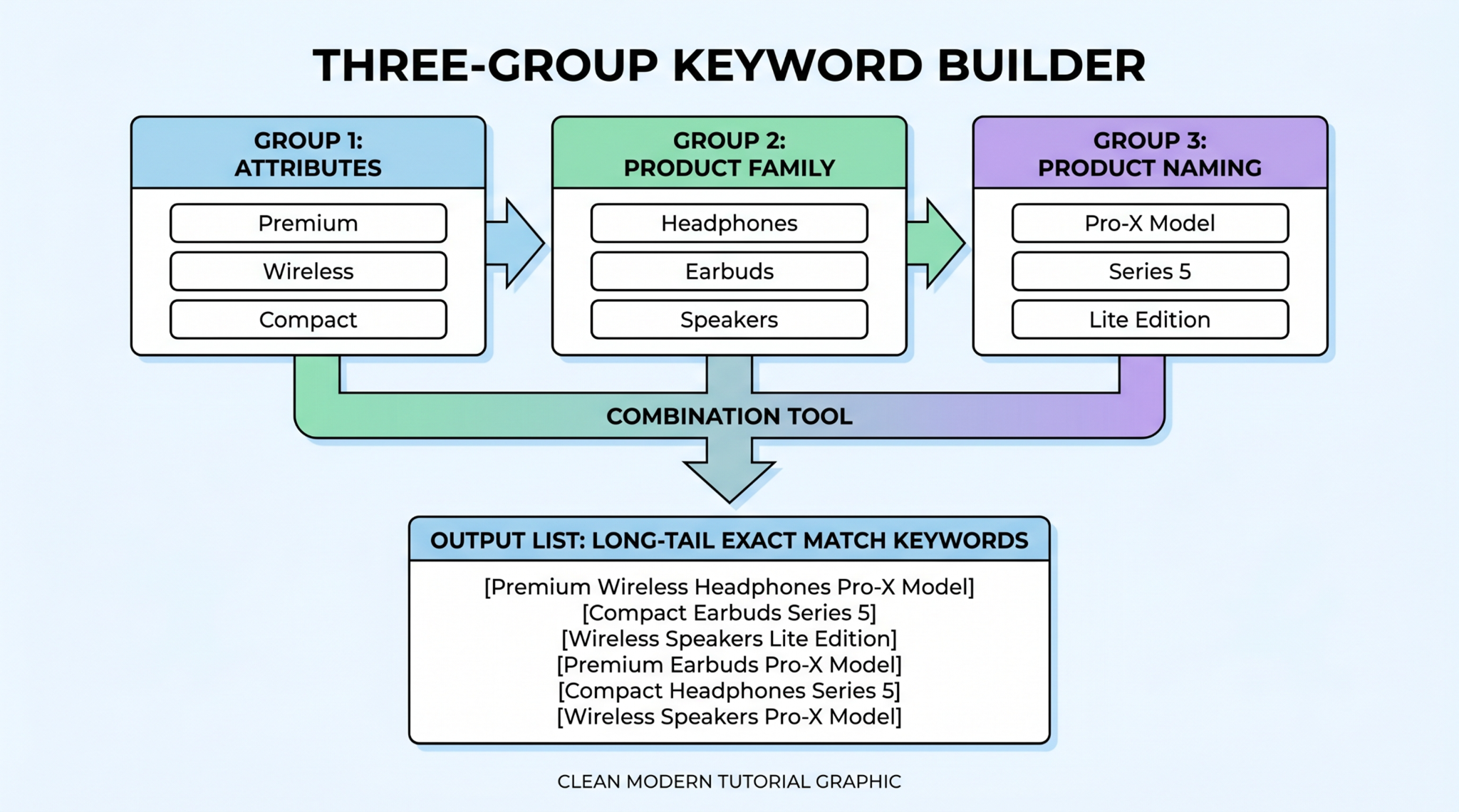
Build long-tail keywords with a simple three-group method
- Group 1: product attributes such as color, material, size, design, and use case.
- Group 2: the core product family word.
- Group 3: alternate product naming words shoppers may use.
Decide how many ad groups you need
Segment ad groups by splitting according to the main product word in Group 3. Keep each ad group focused on a single product phrase so ad headlines remain relevant and natural.
Tip
If unsure, start with one ad group and keep the keyword list small. Expand only after you observe stable performance signals.
Ad Copy That Converts
Draft strong ads that mirror the shopper's search and make your offer easy to trust. Keep your message clear, and test multiple variants.
Use a ranking-focused Amazon URL
When aiming for improved keyword ranking on Amazon, drive traffic to a keyword-aligned URL. Pair this approach with SellerSprite Keyword Tracker to measure ranking changes over time.
Headline structure that improves relevance
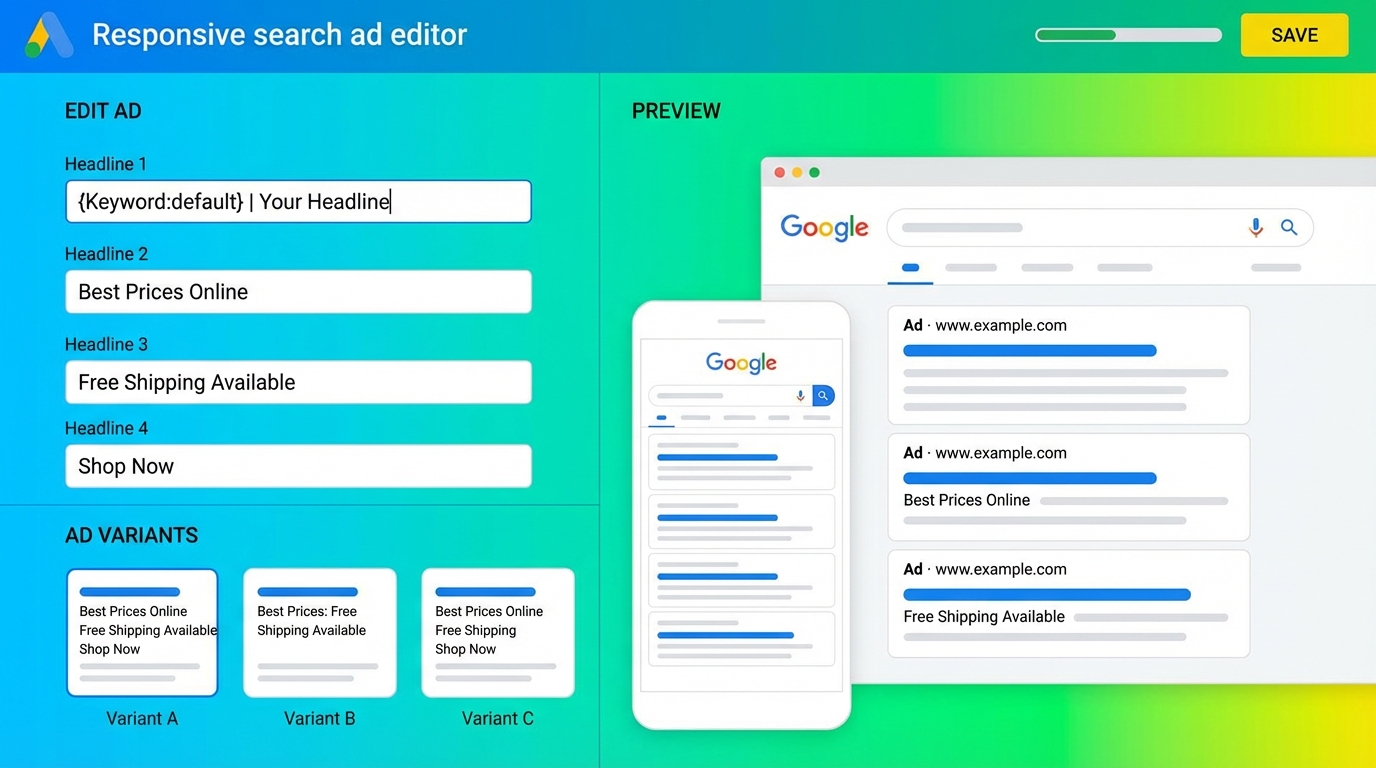
- Headline 1: offer plus core product phrase.
- Headline 2: one clear benefit that matters to the buyer.
- Headline 3: one trust feature such as shipping, guarantee, or quality.
Create multiple ads per ad group
Create at least two ads, preferably three. Focus each differently: one on features, one on benefits, and one combining both. Let Google rotate them to determine top performers.
Description lines and call to action
Reinforce core benefits in your description lines and include a clear call to action, such as "Order today" or "Limited time offer." Keep your message simple and focused on the buyer.
Tracking and Optimization Signals
Track outcomes that connect directly to Amazon sales and ranking, not just clicks and impressions.
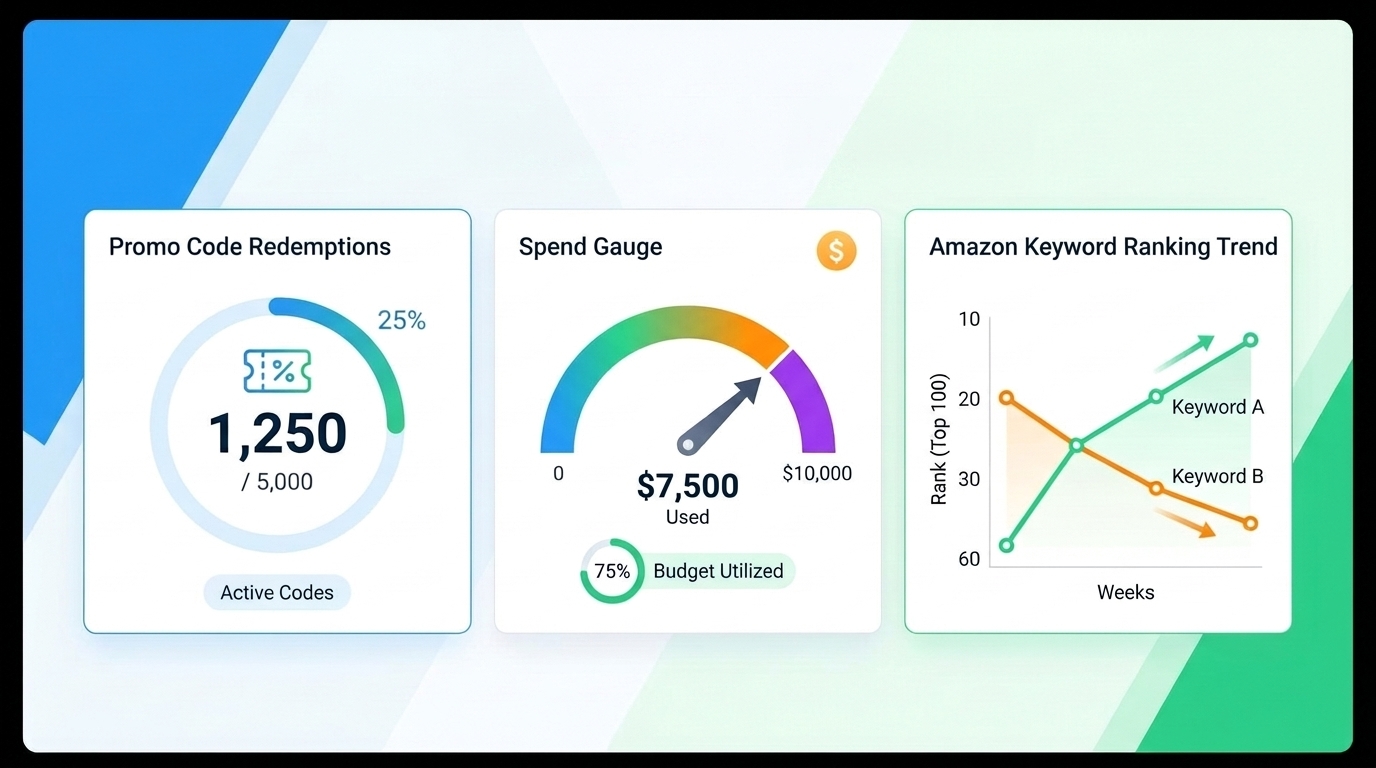
Method 1: Promo redemptions
Create a unique promo code for Google traffic. Use promo redemptions as a clean signal that a sale resulted from Google ads.
Method 2: Amazon Attribution
Enroll in Amazon Attribution if you are a brand registered to help connect off-Amazon clicks to Amazon sales. Treat this as a single data point and validate it with ranking and promo performance.
Method 3: Keyword ranking movement
During launch, prioritize tracking changes in keyword rankings. Monitor the keywords aligned with your landing URL and observe whether your ranking improves as you continue advertising.
SellerSprite workflow for tracking
- Build your keyword list: Keyword Research and Keyword Mining.
- Validate competitors: Reverse ASIN for keyword gaps and intent checks.
- Track ranking: use Keyword Tracker to measure daily movement.
- Track products: use Product Tracker when you want a wider view of market pressure.
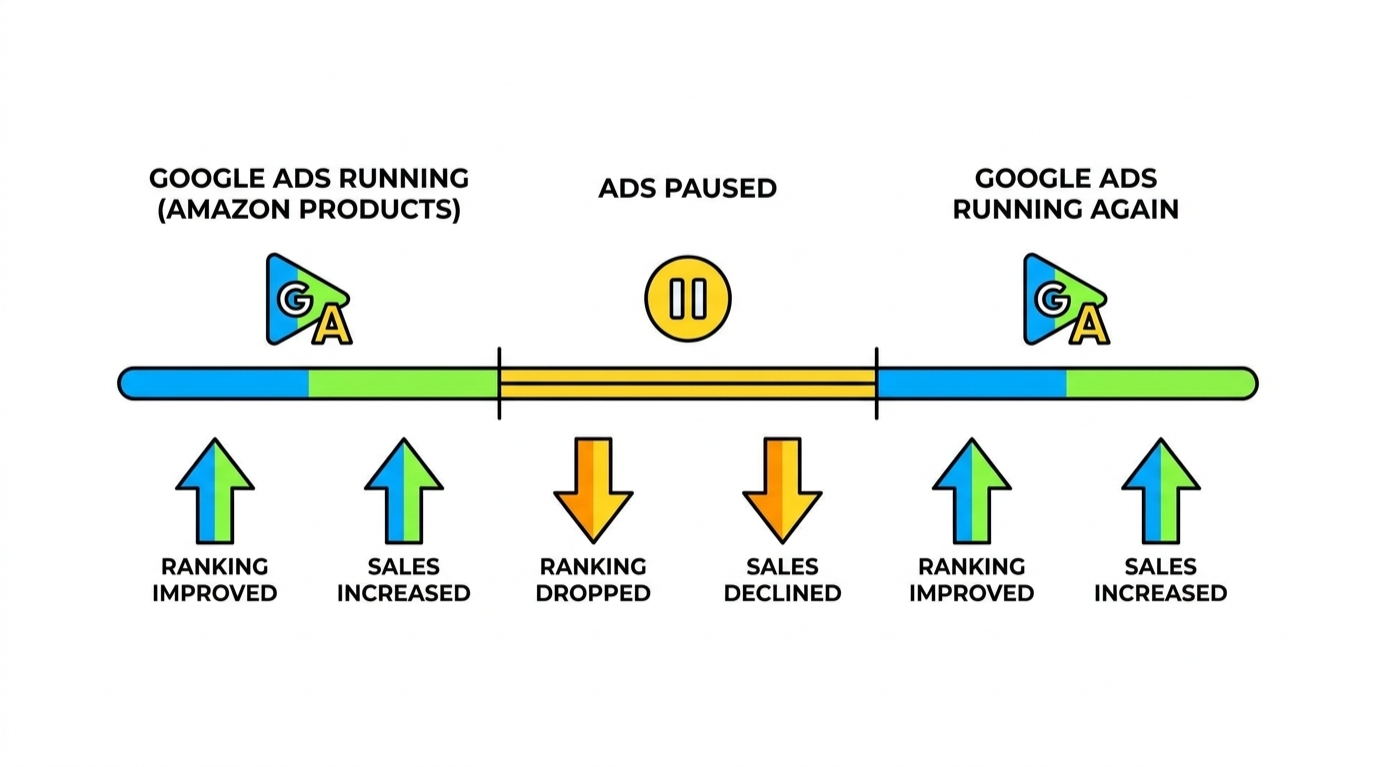
Method 4: Simple on and off testing
If you want an extra validation layer, run ads for a period, pause for a period, and compare ranking and sales trends. Keep the test long enough to avoid day-to-day fluctuations.
Comparison and Selection
Use this table to choose how to track and what to prioritize based on your current stage.
| Goal | Best keyword style | Best tracking signal | Why it works |
|---|---|---|---|
| Launch ranking | Long-tail exact match | Keyword ranking movement | Measures the outcome that supports future organic sales |
| Profitable steady sales | Highest intent exact match | Promo redemptions | Clean link between spend and direct sales |
| Scaling with clarity | Segmented ad groups | Ranking plus promo together | Balances direct performance with long-term lift |
Examples and Templates
Example 1: Ad group naming convention
Copy and paste template
[Product phrase] | Exact | Search
Soap Mold | Exact | Search
Soap Maker | Exact | Search
Example 2: Purchase-intent keyword filter
- Keep keywords that describe the exact product someone buys.
- Remove keywords that signal research intent, like "review" or "best".
- Remove broad category words that mask intent, such as "accessories".
Example 3: Three ad testing plan
- Ad A: feature-focused with trust signals.
- Ad B: benefit-focused with outcome language.
- Ad C: mixed benefits and features with a clean call to action.
FAQs
Q1: Should I use broad match for Google Ads?
A: Start with an exact match. It protects your budget and keeps traffic aligned to purchase intent.
Q2: How many ads should I create per ad group?
A: Create at least two, ideally three, so Google can learn which message converts best.
Q3: What should I track during launch?
A: Track keyword ranking movement for your launch keywords, then validate with promo redemptions as sales increase.
Q4: Where do my best keywords come from?
A: Start with SellerSprite Keyword Research and Keyword Mining, validate with Reverse ASIN, and track movement with Keyword Tracker.
Summary and Next Steps
Google Search ads can drive profitable sales and support Amazon ranking when your targeting is specific, and your tracking is grounded in outcomes. Build clean ad groups, use exact match keywords, write relevant ads, and measure what matters.
Keep your first version simple. Then improve one step at a time. That is how durable performance is built.
Next step action checklist
- Create one campaign and one ad group with a tightly targeted exact-match keyword list.
- Write three ads per ad group and include keyword insertion in Headline 1.
- Set a controlled starting bid and adjust only after you confirm tracking signals.
- Track promo redemptions and keyword ranking movement for your launch keywords.
- Use SellerSprite tools to expand keywords safely and monitor ranking trends.
Share Your Sourcing Journey With SellerSprite Community
Join the SellerSprite community on the Facebook Group to share your sourcing journey, ask questions, and get support from fellow Amazon sellers.
View The SellerSprite Course Directory
Ready for the next step? Open the SellerSprite Academy course directory to continue building your Amazon FBA skills chapter by chapter.
About the author
SellerSprite Team publishes practical, execution-focused playbooks for Amazon sellers, combining platform workflows, SellerSprite Seller Tools, and reusable templates so you can scale with fewer mistakes.


