This guide is for US, EU, and UK Amazon FBA and FBM sellers who want to validate Amazon product demand before spending on inventory, PPC, and branding. You will learn a simple, repeatable Amazon product validation workflow that combines SellerSprite market data with survey feedback.
Key Takeaways
- Use data first to narrow options, then use a survey to validate what buyers actually choose.
- Surveys answer preference (images, title, value props). Data answers market size and competition.
- For most Amazon product validation surveys, 50 responses provide direction, 100 is a strong baseline, and 100+ is helpful when the niche is crowded.
- Always allow None of the above and collect short comments. Qualitative feedback is often the real signal.
- Build a closed loop: SellerSprite data pre-screen, then survey validation, then SellerSprite demand check before you commit.
About the team
SellerSprite's content team works with Amazon sellers across US, EU, UK, and JP marketplaces to turn noisy signals into launch decisions. We focus on Amazon product validation workflows that combine market data, review insights, and survey testing to reduce launch risk.
What we optimize for: faster shortlisting, clearer differentiation, better positioning, and fewer expensive mistakes.
Table of Contents
- Why Amazon product validation needs both data and surveys
- The 5-step process to validate Amazon product demand
- Data vs survey: what each can answer
- Step 1: Data pre-screen with SellerSprite
- Step 2: Design an Amazon product validation survey
- Step 3: Choose images and test elements
- Step 4: Target audience and survey sample size
- Step 5: Interpret results and close the loop
- Mini case studies with outcomes
- Further Reading / Related Guides
- References
Why Amazon Product Validation Needs Both Data and Surveys
To validate Amazon product demand, you need two truths. First, does the niche have enough demand and room to compete? Second, will real buyers choose your design, image, and positioning?
SellerSprite helps you quantify demand and competition. A survey helps you validate preference and buyer intent, before you invest in a full launch.
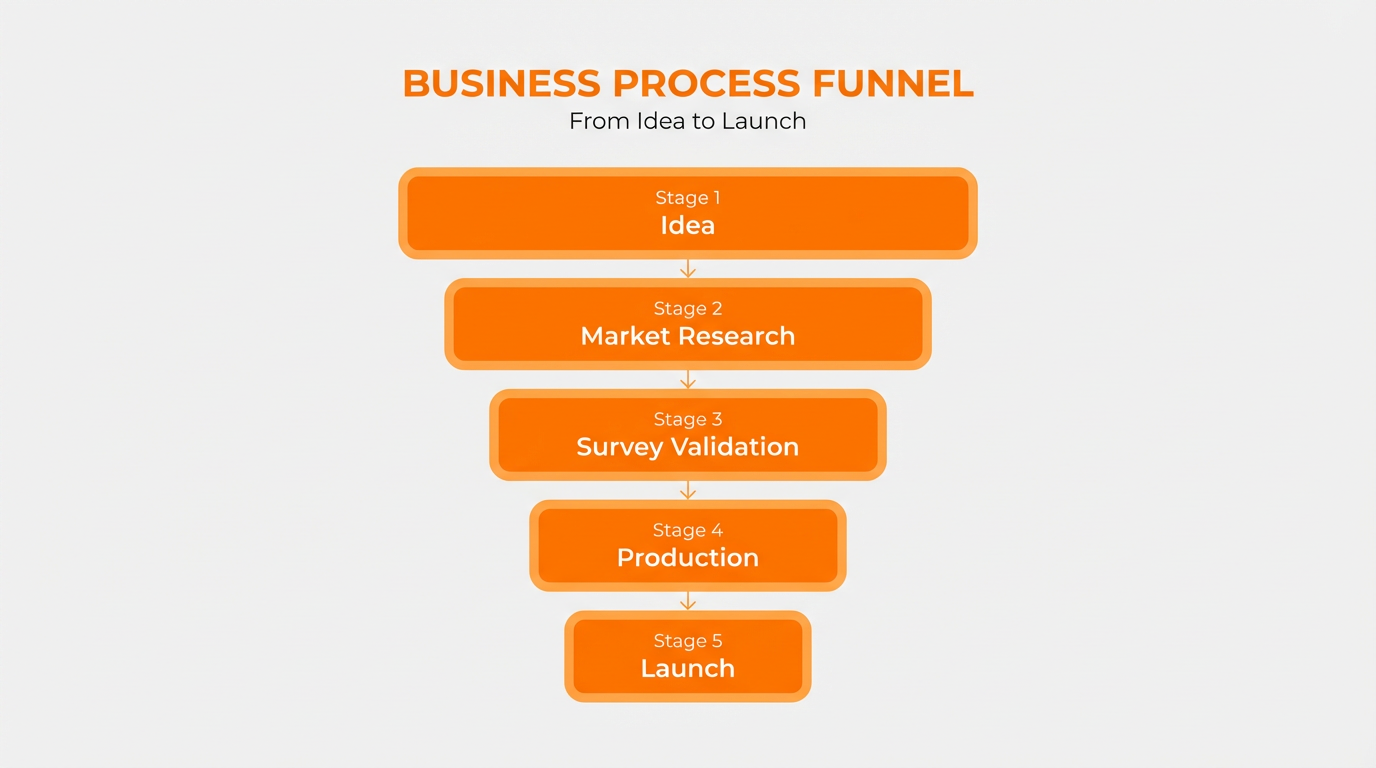
Image: Funnel workflow used to validate Amazon product demand before launch, starting with market data and ending with survey validation.
Start Free Validation Workflow
Follow a simple process to validate demand before you spend on inventory and ads.
The 5-Step Process to Validate Amazon Product Demand
This structure keeps you honest. You use data to narrow down, and a survey to validate buyer choice. Then you return to data to confirm the niche can support your launch.
- Data pre-screen (reduce the shortlist fast)
- Design the survey (questions that measure buyer intent)
- Select images (what respondents are actually evaluating)
- Audience and sample size (match marketplace and get enough responses)
- Interpret results (choose, refine, and cross-check demand)
Data vs survey: what each can answer
Step 1: Data Pre-Screen to Validate Amazon Product Demand
Summary: Start with data so you do not waste survey budget on weak niches. Your goal is a shortlist of ideas that already show demand signals.
- Confirm demand: keyword volume, revenue potential, seasonality.
- Check competition: count direct competitors and look for sameness.
- Scan price bands: make sure the market supports your target margin.
- Use review themes: list common complaints to turn into test hypotheses.
Use SellerSprite Category Insights to Narrow Your Shortlist
Start with market sizing, trend signals, and competitive context, then decide what is worth surveying.
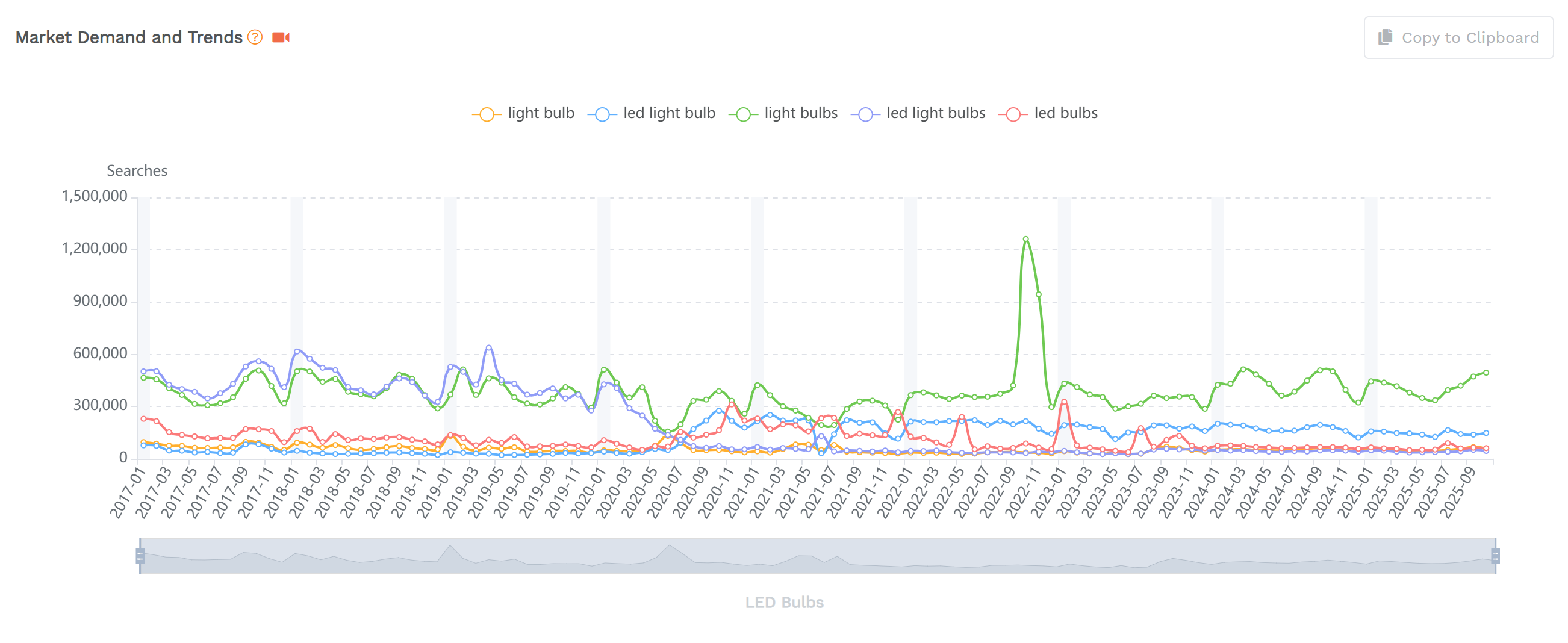
Image: Market demand and trend chart used to validate Amazon product demand before spending on surveys and inventory.
Step 2: Design an Amazon Product Validation Survey That Measures Buyer Intent
Summary: Your survey should simulate a buying decision. Avoid questions that only measure aesthetics. Ask what people would buy, and why.
- Use a purchase framing: "Which would you be most likely to buy, if any?"
- Always include None of the above and require a reason.
- Limit options: 2 to 5 choices are usually enough.
- Ask one follow-up: "What made you choose it?"
- Keep it fast: short surveys reduce low-quality responses.
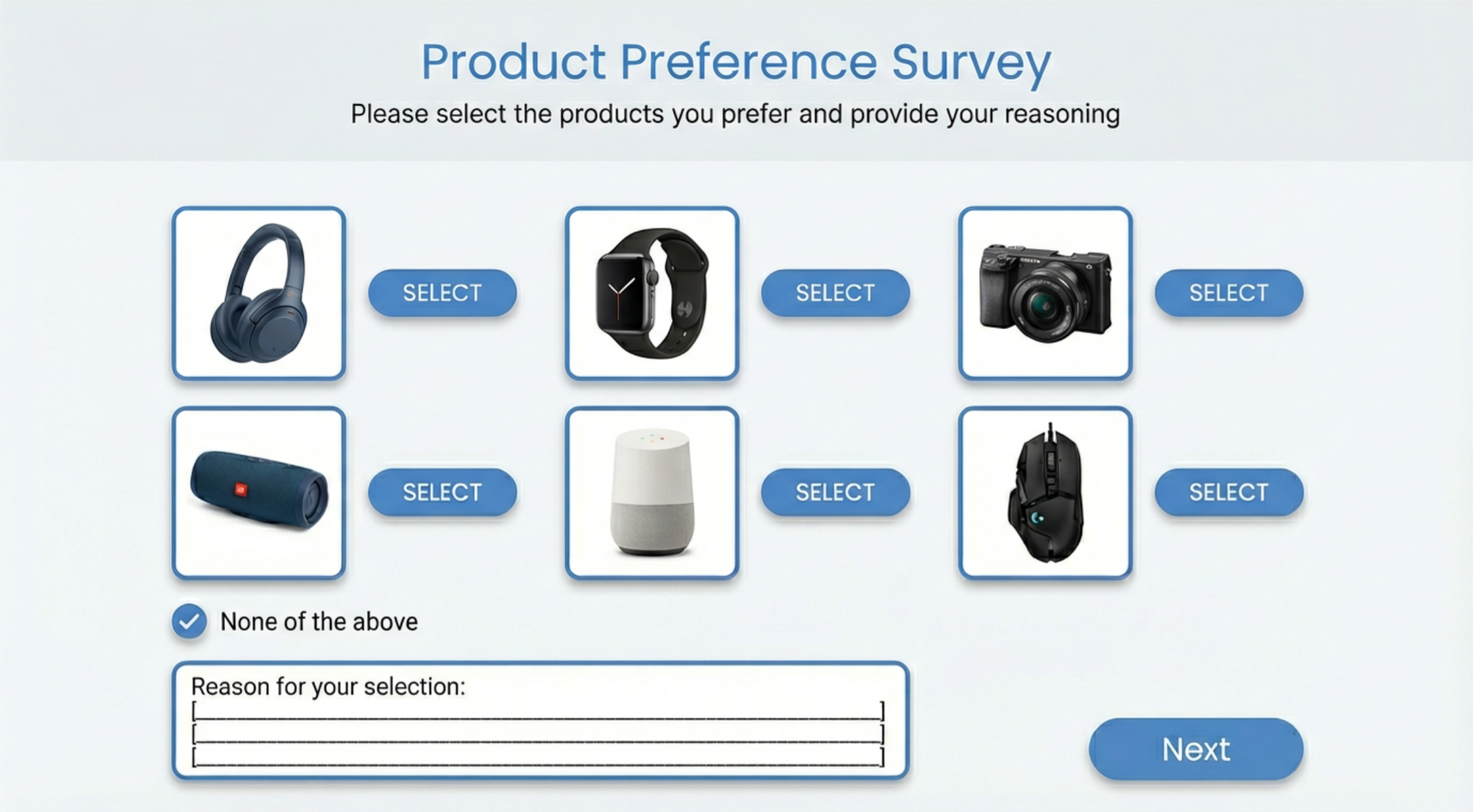
Image: Survey layout for Amazon product validation with multiple product images and a none of the above option to prevent false validation.
Turn Reviews into Survey Hypotheses
Use Review Analysis to find repeated complaints, then test solutions in your survey.
Step 3: Choose Images and Test Elements in Your Amazon Product Validation Survey
Summary: Respondents can only evaluate what you show them. Use clean, comparable visuals so the result reflects product preference, not confusing design noise.
- Use consistent style: similar angle, lighting, and background if possible.
- Prefer full resolution over screenshots to avoid "cheap" visual artifacts.
- Label options clearly: A, B, C, D.
- Keep the test focused: do not change five variables at once.
What you can test (elements checklist)
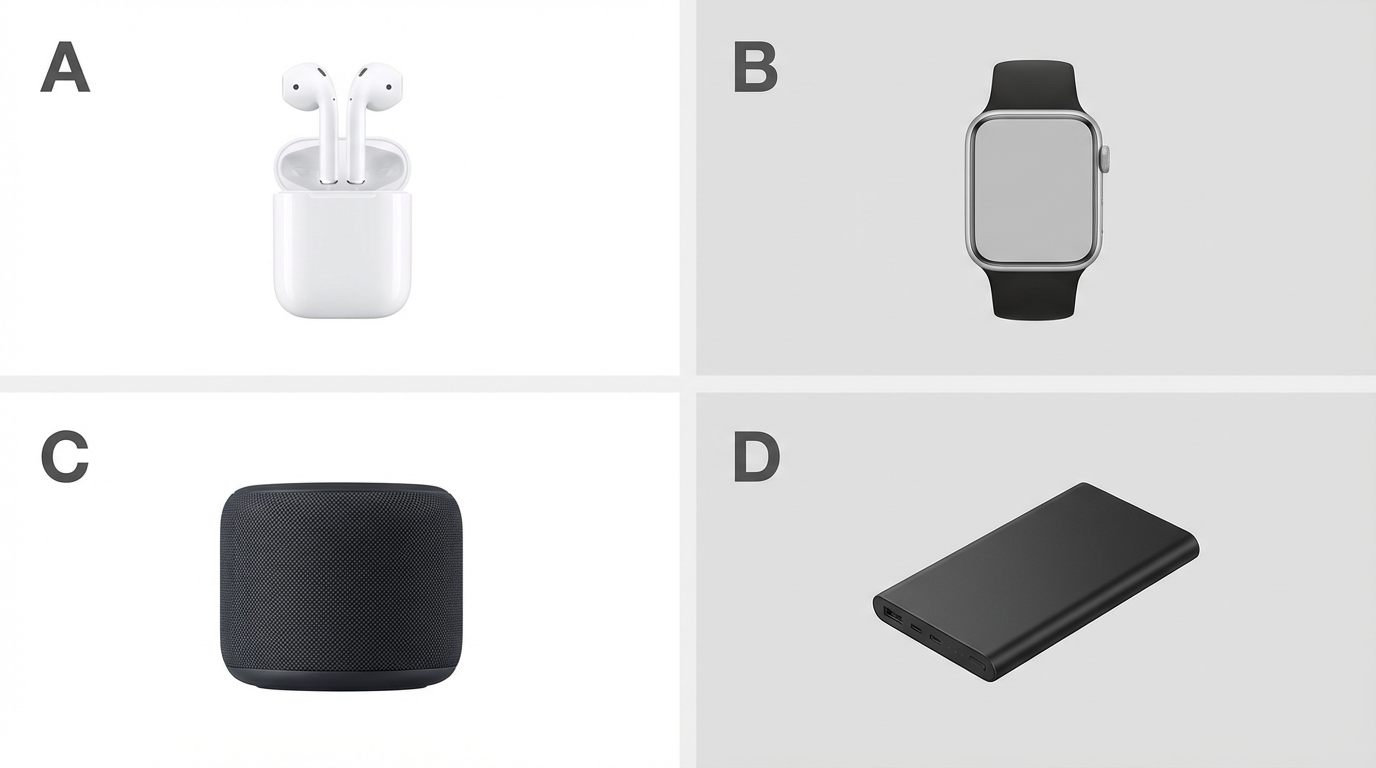
Image: Product image grid used in an Amazon product validation survey to force clear comparison between options.
Step 4: Targeting the Right Audience and Survey Sample Size
Summary: Your audience must match your marketplace. A great response set from the wrong country can mislead your product validation.
- Match Amazon site: Amazon US survey for US buyers, Amazon DE survey for German buyers, Amazon JP survey for Japanese buyers.
- Match language: English responses for US and UK, German for DE, French for FR, Japanese for JP.
- Match context: gifting, home use, business use, or hobby use changes preferences.
- Prefer relevance over perfect demographics. Interest-based targeting often beats generic panels.
Survey sample size guidance (practical)
Step 5: Interpret Results and Close the Loop Back to Market Data
Summary: Percentages give you a winner. Comments tell you why. Use both, then verify market capacity again so your favorite concept also fits a viable niche.
- Pick the winner: the option with the strongest buy intent, not just "looks nice."
- Extract repeated themes: cheap-looking, confusing, hard to clean, not durable, and packaging mismatch.
- Turn themes into improvements: adjust design, image, benefits, and packaging direction.
- Recheck demand: confirm the niche still supports your revenue goal and competition level.
- Run a second micro-test if you made major changes to the offer.
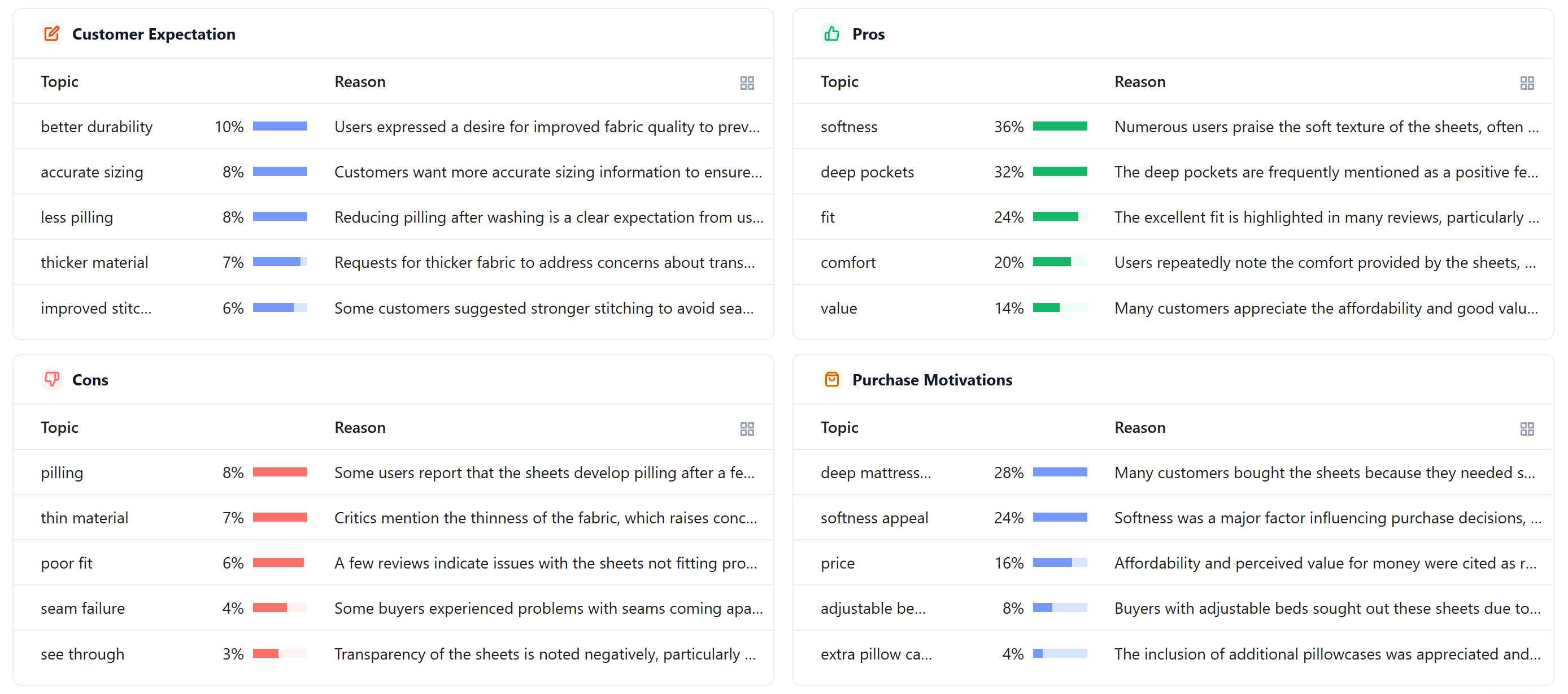
Image: Qualitative feedback themes used in Amazon product validation to refine features, packaging, and messaging.
Confirm Market Capacity After Your Survey
A winning survey concept still needs enough demand and acceptable competition to succeed on Amazon.
Mini Case Studies (Outcomes That Improve EEAT)
Case study 1: Survey winner changed after buyer comments
A seller tested 4 main images for the same product. The initial favorite image lost once we included "Which would you buy, if any?" plus "Why?" The winning option had clearer scale cues and a simpler value prop.
- Sample size: 100 responses
- Result: the top choice increased by 18 points after simplifying the main image layout
- Action: seller aligned listing copy to the same benefit language used in positive comments
Case study 2: Data pre-screen prevented a survey on a weak niche
A seller had 3 product ideas that looked similar on the surface. SellerSprite demand signals showed one niche had unstable seasonality and low revenue potential. They skipped the survey for that idea and focused budget on the other two.
- Outcome: survey spend reduced by 33 percent while keeping decision quality high
- Action: seller used Review Analysis on the remaining niches to create better survey hypotheses
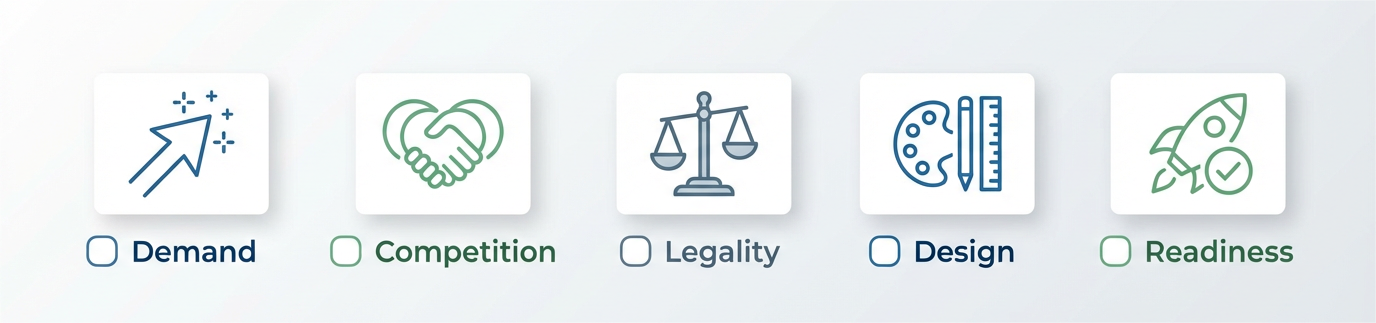
Image: Amazon product validation checklist covering demand, competition, legality, design, and readiness.
Calculate Profit Before You Commit
Use the Profitability Calculator to make sure your validated concept can still hit margin after fees and shipping.
Further Reading / Related Guides
- How to Validate Product Ideas Before Launching on Amazon
- Amazon A/B Testing Before You Sell (PickFu workflow)
- Discovering Profitable Products: Strategies and Essential Tools
- Amazon Product Launch Checklist
- Supplier Management and Product Safety Tips
Get Help From the SellerSprite Community
Share your validation survey setup, get feedback, and learn from other sellers in the SellerSprite Discord and Facebook Group.
View The SellerSprite Course Directory
Ready for the next step? Open the SellerSprite Academy course directory to continue building your Amazon FBA skills chapter by chapter.
References
- Category Insights Tool Guide
- SellerSprite Review Analysis
- SellerSprite Sales Estimator
- SellerSprite Profitability Calculator
Back to Top


