TL;DR: The Amazon Product Opportunity Explorer helps sellers discover high-potential niches by analyzing demand clusters and competition signals. This guide walks you through how to use it effectively, from setup to validation, with actionable steps, checklists, and pro tips.
Key Takeaways
- The Amazon Product Opportunity Explorer identifies high-demand, low-competition product opportunities using data-driven signals like opportunity score, keyword breadth, and review moats.
- It excels at fast discovery but must be paired with manual validation, especially SERP checks, differentiation analysis, and profit modeling.
- Beginners should use preset filters, avoid trending-only niches, and focus on Tier A shortlist items with clear entry points and manageable competition.
Table of Contents
- What Amazon Product Opportunity Explorer Is (And What It's For)
- Where This Tool Fits in a Complete Amazon Product Research Workflow
- Set Your Search Rules Before You Click Anything
- Step 1: Choose the Right Starting Input (Keyword, Category, ASIN, or Theme)
- Step 2: Apply Filters Like a Pro (Cut Noise Fast)
- Step 3: How to Read the Results (So You Don't Chase Fake Opportunities)
- Step 4: Build a Shortlist (From 50 Ideas to Your Top 3)
- Step 5: Validate Before You Source (Reality Checks Sellers Skip)
- Step 6: Turn One Opportunity Into an Action Plan (Launch-Ready)
- Common Mistakes When Using Amazon Product Opportunity Explorer
- Mini Walkthrough: Find and Validate One Opportunity in 20 Minutes
- FAQ
- References
Note on marketplaces: This guide is specifically optimized for the US market.
What You'll Learn
- How the Product Opportunity Explorer identifies real product opportunities
- How to set up smart filters and avoid false positives
- How to validate ideas before sourcing with SERP, review, and PPC checks
- How to build a launch-ready action plan from a single opportunity
What Amazon Product Opportunity Explorer Is (And What It's For)
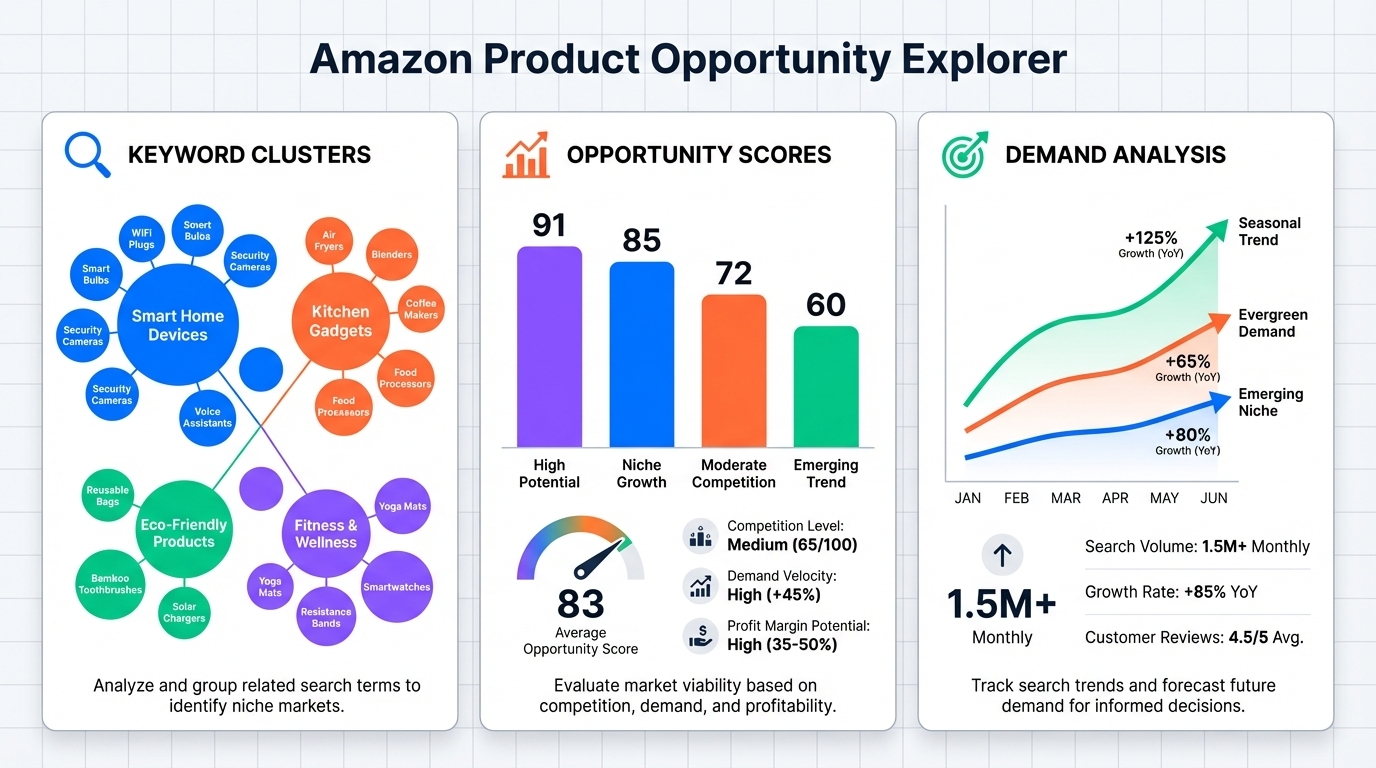
The Amazon Product Opportunity Explorer is a powerful tool designed to help sellers uncover untapped product ideas by analyzing real-time marketplace data. Unlike basic keyword tools, it surfaces “demand clusters” (groups of related search terms with rising interest), and overlays them with competition signals to highlight where opportunity exists.
What the Tool Helps You Find
Demand Clusters: Groups of high-volume, buyer-intent keywords that indicate real customer needs.
Opportunity Signals: Metrics like low review moats, fragmented competition, and rising trend lines that suggest a niche is winnable.
Product Gaps: Areas where demand exists but current listings fail to satisfy, revealed through negative review analysis and feature gaps.
Who Should Use It
This tool is ideal for:
- New Sellers: Looking for low-barrier entry points with manageable competition.
- Growth-Oriented Sellers: Expanding into adjacent categories or scaling with proven models.
- Brand or Enterprise Teams: Validating line extensions or identifying white-space for innovation.
- Marketing & Ops Managers: Aligning product selection with inventory, ad spend, and supply chain capacity.
What It Can't Replace
While the Product Opportunity Explorer accelerates discovery, it doesn't replace due diligence. You still need to:
- Run full profit math (COGS, FBA fees, PPC, returns)
- Verify IP and compliance (FDA, CPSIA, UL, etc.)
- Assess sourcing feasibility (MOQs, lead time, quality control)
- Validate differentiation potential (can you solve a real pain point?)
Where This Tool Fits in a Complete Amazon Product Research Workflow
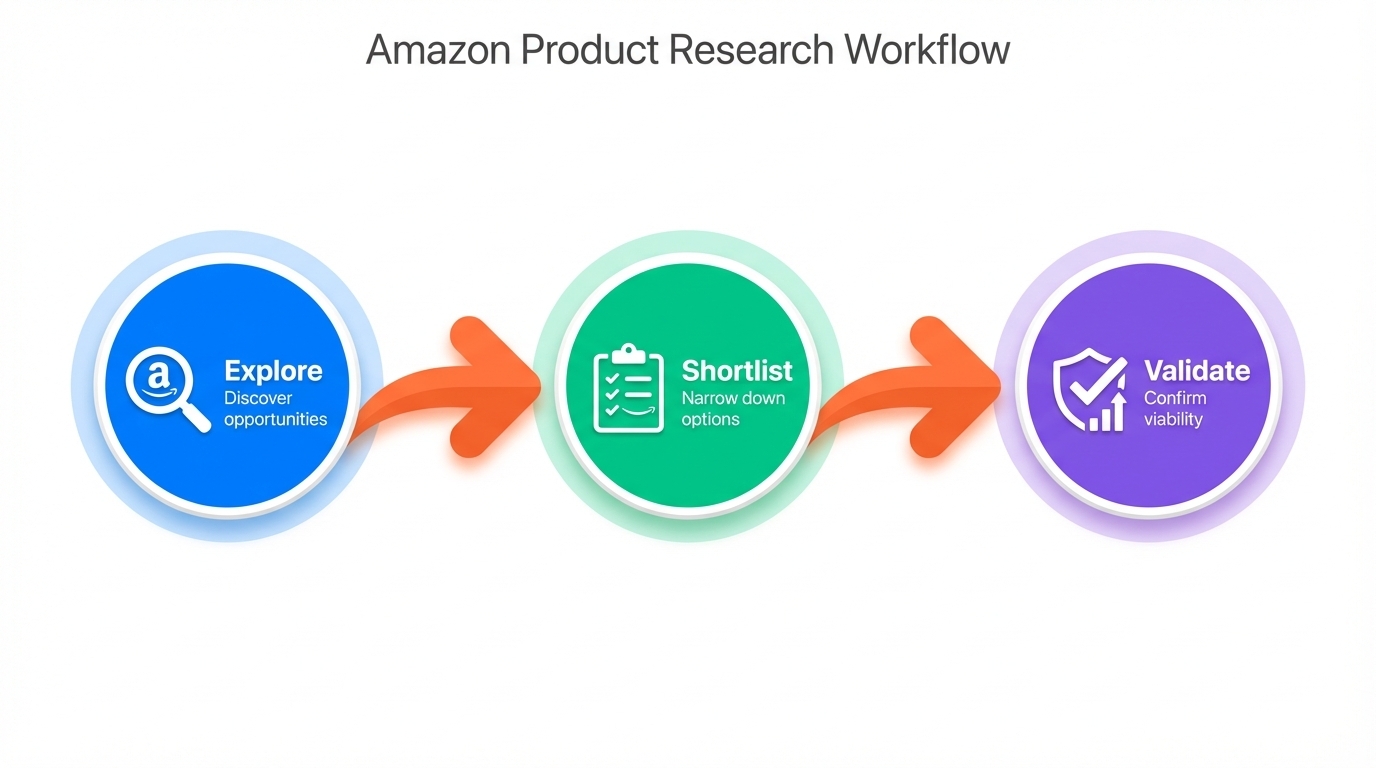
The Product Opportunity Explorer isn't a standalone solution; it's the spark that ignites your research. Used correctly, it fits into a three-stage pipeline: Explore → Shortlist → Validate.
The 3-Stage Pipeline: Explore → Shortlist → Validate
- Explore: Use the tool to generate 50+ raw ideas based on demand and competition signals.
- Shortlist: Apply filters and judgment to narrow down to 5-10 viable candidates.
- Validate: Conduct manual checks (SERP, reviews, PPC) and build a go/no-go case.
What the Tool Is Best At (vs. Where You Need Extra Validation)
The tool excels at:
- Surface-level opportunity detection (high demand + low competition)
- Identifying keyword clusters and trend momentum
- Flagging potential red flags (e.g., brand dominance, ad saturation)
But you must validate:
- Whether the top listings actually solve the problem
- If differentiation is possible (via features, bundling, or branding)
- Profitability under real-world ad costs and conversion rates
Outputs You Should Produce
After using the tool, your deliverables should include:
- A shortlist of 5-10 products with opportunity scores and notes
- A set of saved filters (e.g., "Beginner-Friendly", "Low Weight")
- A list of next-step validation tests (e.g., "Check ASIN B09X for review gaps")
Set Your Search Rules Before You Click Anything
Jumping into the tool without constraints leads to analysis paralysis. Define your rules upfront to focus on what matters.
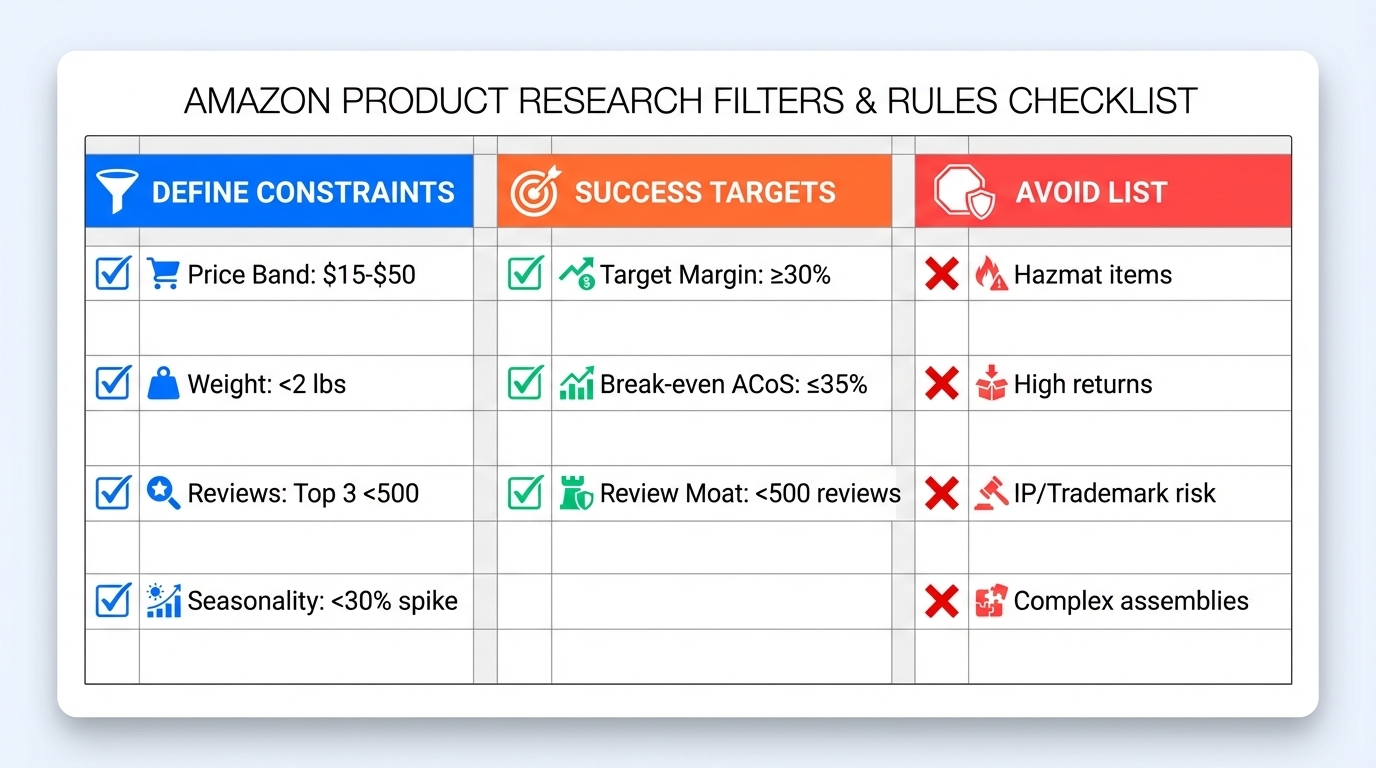
Define Constraints
- Price Band: $15-$50 (ideal for new sellers)
- Size/Weight: Under 2 lbs, standard-size (to avoid FBA surcharges)
- Seasonality: Avoid >30% seasonal spikes unless you're prepared
- Compliance Risk: Exclude FDA, electronics, children's products unless experienced
Define Success Targets
- Target Margin: ≥30% after all costs
- Break-even ACoS: ≤35% (based on conversion rate and TACoS goal)
- Review Moat Threshold: Top 3 listings have <500 reviews on average
Build an "Avoid List"
- Hazmat or restricted items (e.g., lithium batteries, aerosols)
- Products with high return rates (e.g., apparel, cheap electronics)
- Niches with trademarked claims (e.g., "organic", "medical-grade")
- Overly complex assemblies or multi-part kits
✅ Reusable "Filters & Rules" Checklist
- Price: $15-$50
- Weight: <2 lbs
- Reviews: Top 3 <500
- ACoS Target: ≤35%
- Margin: ≥30%
- Avoid: Hazmat, IP risk, high returns
Step 1: Choose the Right Starting Input (Keyword, Category, ASIN, or Theme)
Your starting point shapes what you discover. Here's how to pick the best one.
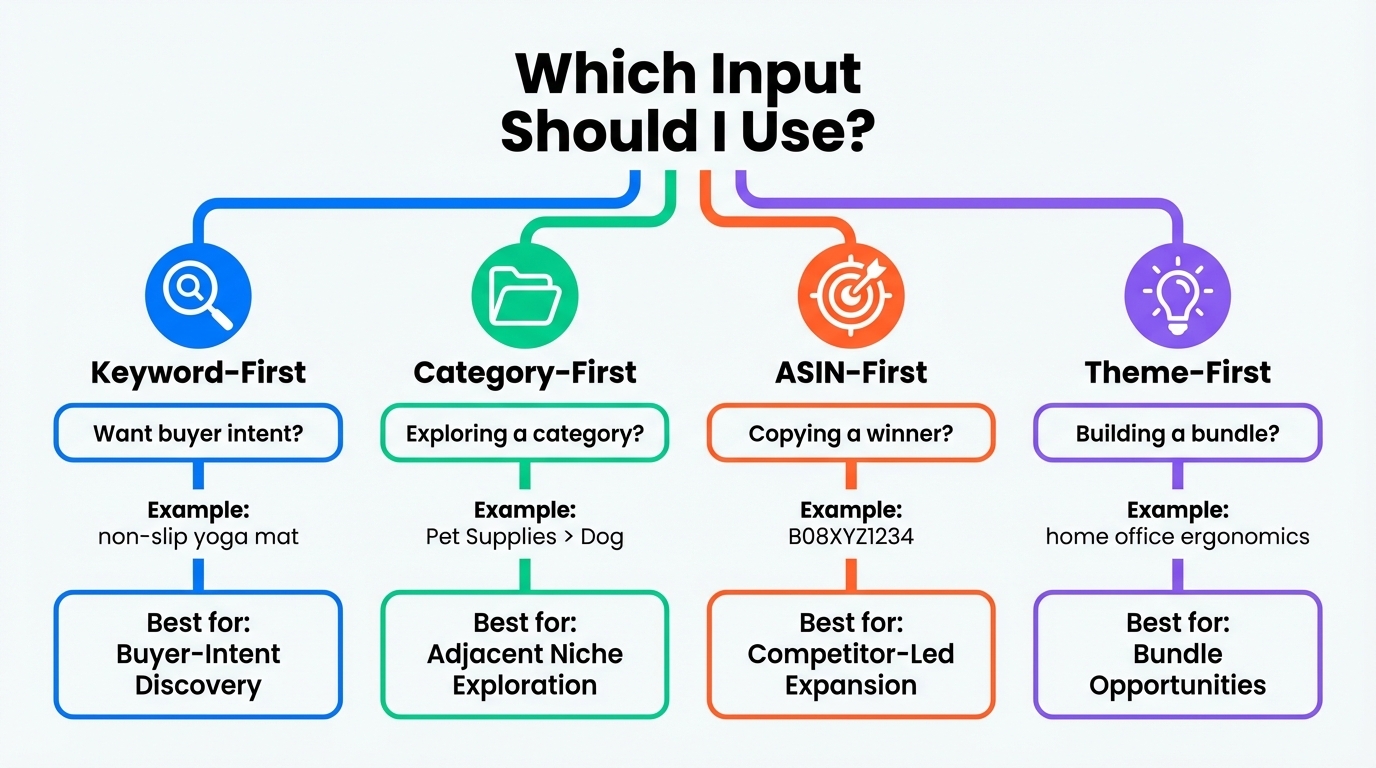
Keyword-First (Best for Buyer-Intent Discovery)
Start with a high-intent keyword like "non-slip yoga mat for hardwood floors". The tool will expand into related searches and reveal demand clusters you didn't know existed.
Category-First (Best for Adjacent Niche Exploration)
Browse categories like "Pet Supplies > Dog > Training" to uncover sub-niches with rising demand. Great for finding overlooked opportunities in mature markets.
ASIN-First (Best for Competitor-Led Expansion)
Enter a top-selling ASIN to see what else is selling in that niche. The tool can suggest complementary products or gaps in the current offering.
Theme-First (Best for Use-Case and Bundle Opportunities)
Start with a lifestyle theme like "home office ergonomics". The tool maps related products and reveals bundling potential (e.g., monitor stand + cable organizer + wrist rest).
🔍 Which Input Should I Use?
- Want buyer intent? → Keyword
- Exploring a category? → Category
- Copying a winner? → ASIN
- Building a bundle? → Theme
Step 2: Apply Filters Like a Pro (Cut Noise Fast)
Without filters, you'll drown in data. Use these to isolate real opportunities.
Demand Filters (Trend Direction + Breadth of Keywords)
Look for:
- Steady or rising 12-month trend (avoid spike-and-die patterns)
- Multiple high-volume keywords (e.g., 5+ with 1k+ monthly searches)
Competition Filters (Review Moat + Brand Dominance + Ad Pressure Proxies)
Filter for:
- Top 3 listings with <500 reviews
- Few dominant brands (e.g., no single brand with 3+ top 10 listings)
- Low ad density (≤3 sponsored products on first page)
Economics Proxies (Price Band + PPC Risk Signals)
Set:
- Price: $15-$50
- Low PPC risk: Avoid niches where top ads have high ACoS proxies
Operational Filters (Fragility, Complexity, Variation Overload)
Exclude:
- Fragile items (glass, liquids)
- Products with 10+ variations (color/size combos)
- Items requiring assembly or instructions
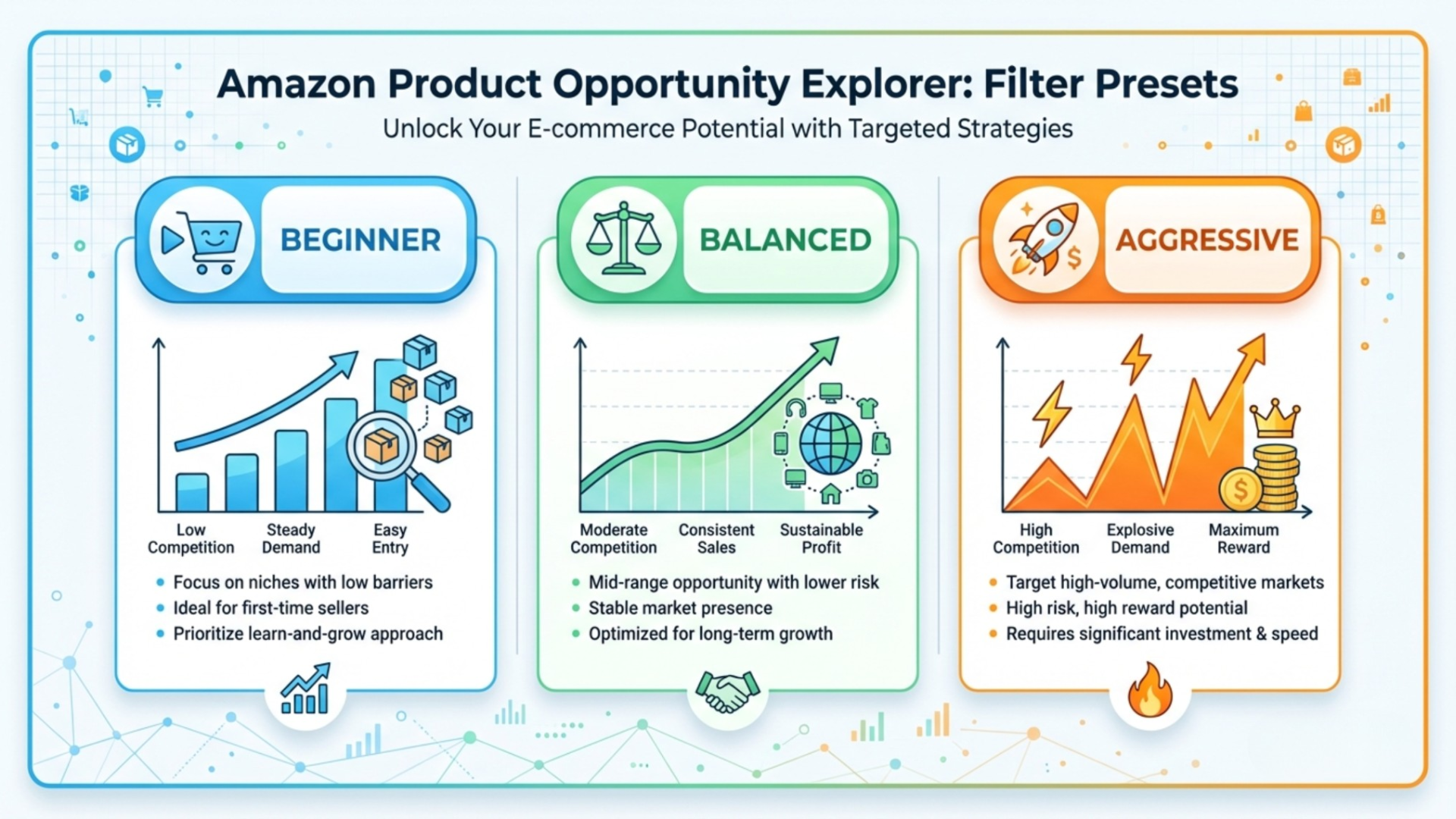
💾 3 Saved Filter Presets
- Beginner: $15-$50, <500 reviews, <2 lbs, no hazmat
- Balanced: Add trending + keyword breadth filters
- Aggressive: Lower review threshold, accept higher weight
Step 3: How to Read the Results (So You Don't Chase Fake Opportunities)
Not all high-scoring opportunities are real. Learn to spot the traps.
What "Opportunity Score" Usually Represents (And What It Might Miss)
The score typically combines demand, competition, and trend data. But it may miss:
- Brand lock-in (e.g., Apple accessories)
- Hidden compliance risks
- Actual conversion rates of top listings
How to Interpret Demand Correctly (Cluster Breadth > Single Keyword)
A single keyword with 10k searches is less valuable than 5 keywords with 2k each, because it shows broader, more stable demand.
How to Interpret Competition Correctly (SERP Reality > "Low Competition" Labels)
Even if labeled "low competition", check the SERP: Are there 5+ sponsored ads? Is the top listing a brand with 10k reviews? Labels can be misleading.
Red-Flag Patterns to Avoid
High Demand but Brand-Dominated
Avoid niches where one brand owns 3+ top 10 spots, even if reviews are low.
Low Competition but Low Intent
Beware of "opportunity" keywords with no buyer intent (e.g., "DIY dog toy tutorial").
Spike-Driven Trends That Won't Survive Lead Times
If demand spiked due to a viral event, it may vanish before your inventory arrives.
🚩 Green Flags vs. Red Flags
- ✅ Green: 5+ keywords >1k searches, top 3 reviews <500, low ad density
- ❌ Red: Single keyword dependency, brand dominance, spike trend
Step 4: Build a Shortlist (From 50 Ideas to Your Top 3)
Now it's time to narrow down. Use a tiered system.
Use a 3-Tier Shortlist System
Tier A: Best-Fit Opportunities (Act Now)
Meets all filters, has clear differentiation path, and passes initial validation.
Tier B: Watchlist (Needs More Proof)
Promising but needs deeper validation (e.g., review gap analysis, sample sourcing).
Tier C: Reject (Fails Constraints)
Fails key filters or has fatal flaws (e.g., compliance risk, high returns).
Add Notes That Matter
For each shortlisted item, note:
- Why it's interesting (e.g., "solves pet hair on couches")
- What could kill it (e.g., "may require UL certification")
Pick "Winnable Entry Points" (Long-Tail First Launch Ladder)
Start with a long-tail variation (e.g., "extra-large pet hair remover for couches") to test demand before going broad.
Step 5: Validate Before You Source (Reality Checks Sellers Skip)
Never source based on tool data alone. Validate with real-world checks.
SERP Validation (Manual Check)
Relevance: Does Your Product Belong on Page One?
If the top results are all subscription boxes or digital products, your physical product may not rank.
SERP Layout: Ad Density, Carousels, Variation Stacks
High ad density or variation-heavy listings signal strong competition.
Differentiation Validation (Reviews: Frequency × Severity)
Scan negative reviews of top sellers. If complaints are frequent and severe (e.g., "falls apart after one use"), you can differentiate.
Competitor Validation (Reverse ASIN + Keyword Gap Logic)
Use a tool like SellerSprite's Reverse ASIN Lookup to see what keywords top sellers rank for, and where they're missing out.
Profit Validation (Fees + COGS + PPC Feasibility)
Break-even ACoS Quick Test
Calculate: (1 / Conversion Rate) × (Target ACoS). If your break-even ACoS is 40% but top ads bid to 50%, you'll lose money.
📄 1-Page Validation Sheet Template
- SERP Relevance: Yes/No
- Top Review Gaps: [List 2-3]
- Keyword Gaps: [List 2-3]
- Break-even ACoS: ___%
- Go/No-Go: ________
Step 6: Turn One Opportunity Into an Action Plan (Launch-Ready)
Now, take your top Tier A idea and build a launch plan.
Define Positioning (The Promise You'll Own)
Example: "The only non-slip yoga mat that protects hardwood floors without residue."
Define the Keyword Cluster You'll Launch On
Start with long-tail keywords (e.g., "non-slip yoga mat for light-colored hardwood") and expand to mid-tail as you gain traction.
Define the Launch Test Plan
Order a small batch (100-200 units), run a 2-week PPC discovery campaign, and measure conversion rate and ACoS before scaling.
Common Mistakes When Using Amazon Product Opportunity Explorer
Using Default Filters (Results Become Generic)
Default settings show popular but oversaturated niches. Always customize.
Treating One Score as Truth (No Triangulation)
Cross-check with manual SERP, review, and PPC data.
Ignoring Operational Risk and Compliance/IP
A great idea can fail if it's illegal or unshippable.
Moving Too Slow on Trend-Based Opportunities
If it's trending now, it may be saturated by the time you launch. Move fast.
Choosing Niches You Can't Differentiate In
If all products are identical, you'll compete only on price, which erodes margins.
Mini Walkthrough: Find and Validate One Opportunity in 20 Minutes
Start with a Keyword Theme → Apply a Preset Filter
Enter "ergonomic desk pad" and apply the "Balanced" preset.
Shortlist Top 10 → Deep Dive Top 3
Pick the top 3 by opportunity score and check demand breadth.
Validate with SERP + Reviews + PPC Feasibility
Check if top listings have review gaps, high ad density, or poor images.
Decide: Go / Watchlist / Reject
One should pass all checks. That's your test candidate.
FAQ
How do I find profitable products on Amazon Product Opportunity Explorer?
Start with a keyword or category, apply filters (price, reviews, weight), and look for high opportunity scores with strong demand clusters. Then validate with SERP checks, review gap analysis, and profit modeling to ensure real profitability.
What are the best features of Amazon Product Opportunity Explorer for Amazon sellers?
Key features include demand cluster identification, opportunity scoring, competition analysis (review moats, brand dominance), trend tracking, and keyword expansion. It helps sellers quickly surface niches with high demand and low competition.
What's a "good" opportunity score for beginners?
For beginners, aim for an opportunity score of 70+ with supporting factors: price $15-$50, top 3 reviews under 500, low ad density, and no compliance risks. Always validate manually before proceeding.
Can Amazon Product Opportunity Explorer help me identify low-competition niches?
Yes. It highlights niches with low review counts, fragmented competition, and rising demand. Use filters like "Top 3 Reviews <500" and "Low Brand Dominance" to isolate these opportunities.
Can I use this tool for wholesale vs. private label?
Yes. For wholesale, use it to find fast-moving, understocked brands. For private label, focus on gaps in existing products (via review analysis) and build better versions. The tool supports both models with demand and competition insights.
Next Steps
- Try the SellerSprite Product Research Tool with your own keyword.
- Read the Amazon Product Research Guide for a full workflow.
References
- Amazon Product Research Guide View
- Discover High-Potential Amazon Products View
- Strategies for Profitable Product Discovery View
By SellerSprite Success Team
The SellerSprite Success Team combines deep Amazon marketplace expertise with data science and seller operations experience. We've helped thousands of sellers, from beginners to enterprise brands, optimize product research, listing performance, and ad strategy using real-time analytics and proven frameworks.


