How to Make an Amazon Storefront in 2025: A Step-by-Step Guide with SellerSprite
If you’re an Amazon seller or planning to become one in 2025, creating a professional Amazon storefront is one of the smartest moves you can make. An Amazon storefront helps establish your brand, builds trust with customers, and boosts sales. In this detailed guide, we’ll walk you through exactly how to make an Amazon storefront, how to optimize it, and how SellerSprite’s powerful tools can help you dominate your niche.
What Is an Amazon Storefront?
An Amazon Storefront (officially called “Amazon Stores”) is a free branded page provided by Amazon where sellers and vendors can showcase their products, tell their brand story, and create a seamless shopping experience for customers. You don’t need to be a tech expert or hire a developer—it’s a drag-and-drop interface.
Who Can Create an Amazon Storefront?
To be eligible, you need:
A Brand Registered Amazon account
A Professional Selling Plan
A trademarked brand enrolled in Amazon Brand Registry
Step-by-Step: How to Create an Amazon Storefront
1. Enroll in Amazon Brand Registry
Before you can build your store, your brand must be verified by Amazon.
👉 Learn more about Amazon Brand Registry
2. Log into Seller Central
Go to https://sellercentral.amazon.com and access the “Stores” tab under the navigation bar.
3. Start Store Creation
Click “Manage Stores” → “Create Store” and enter your brand name.
4. Choose a Template
Amazon provides layout templates like:
Product Grid
Marquee (for banners and visuals)
Highlighted Products
Choose what suits your brand and audience.
5. Add Products, Images & Content
Use your creativity here. Add:
Product listings
Banners
Videos
Brand story
CTAs like “Shop Now”
🧠 Tip: Use high-quality lifestyle images and compelling copy. Don’t just copy your product listing.
6. Submit for Review
Once done, click Submit for Review. Amazon will approve your store within 72 hours (in most cases).
How to Optimize Your Storefront for Traffic and Sales
A beautiful storefront isn’t enough—it needs to convert.
This is where SellerSprite becomes your secret weapon.
🔍 Use SellerSprite to Build a High-Performance Storefront
✅ Product Research
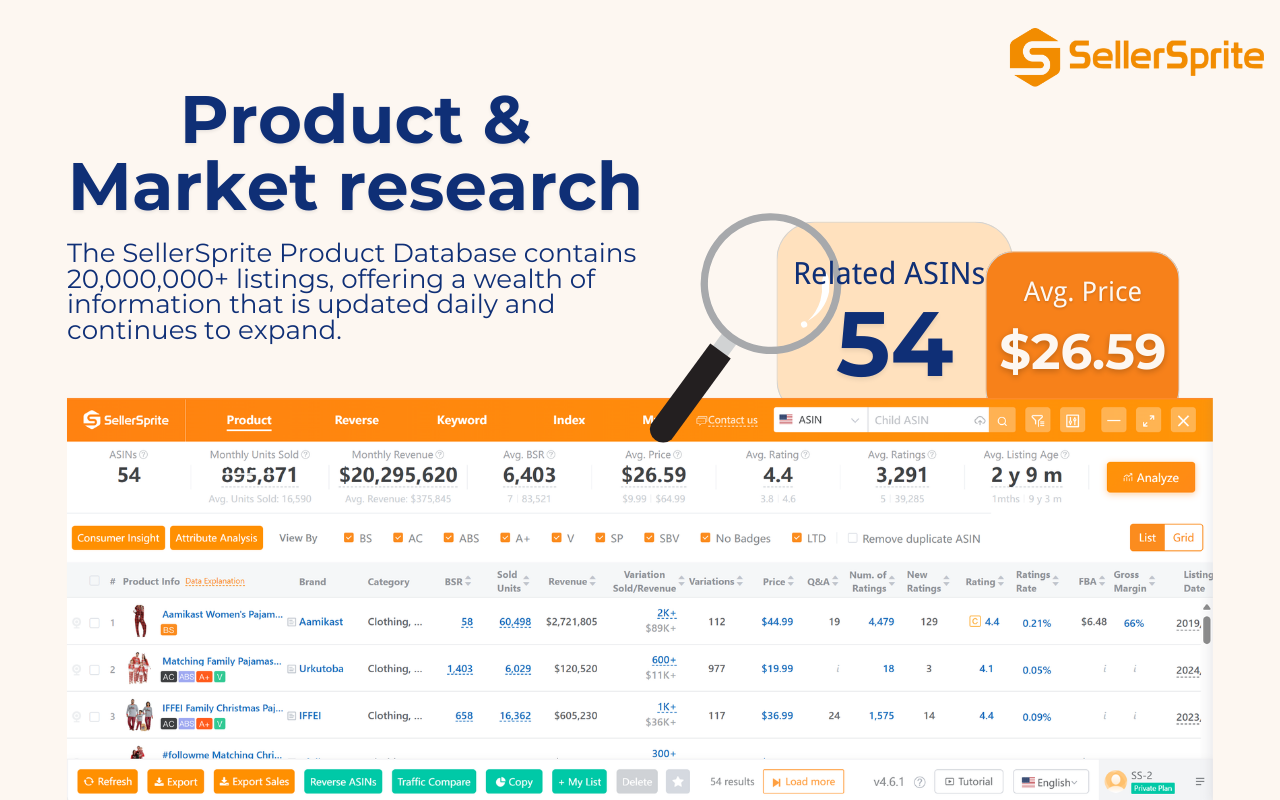
With SellerSprite's Product Research and Market Analysis, you can:
Find in-demand, low-competition products
Identify trending niches
Validate your ideas with real data
📌 Use the Product Analysis Tool to understand what customers are really buying.
✅ Keyword Optimization
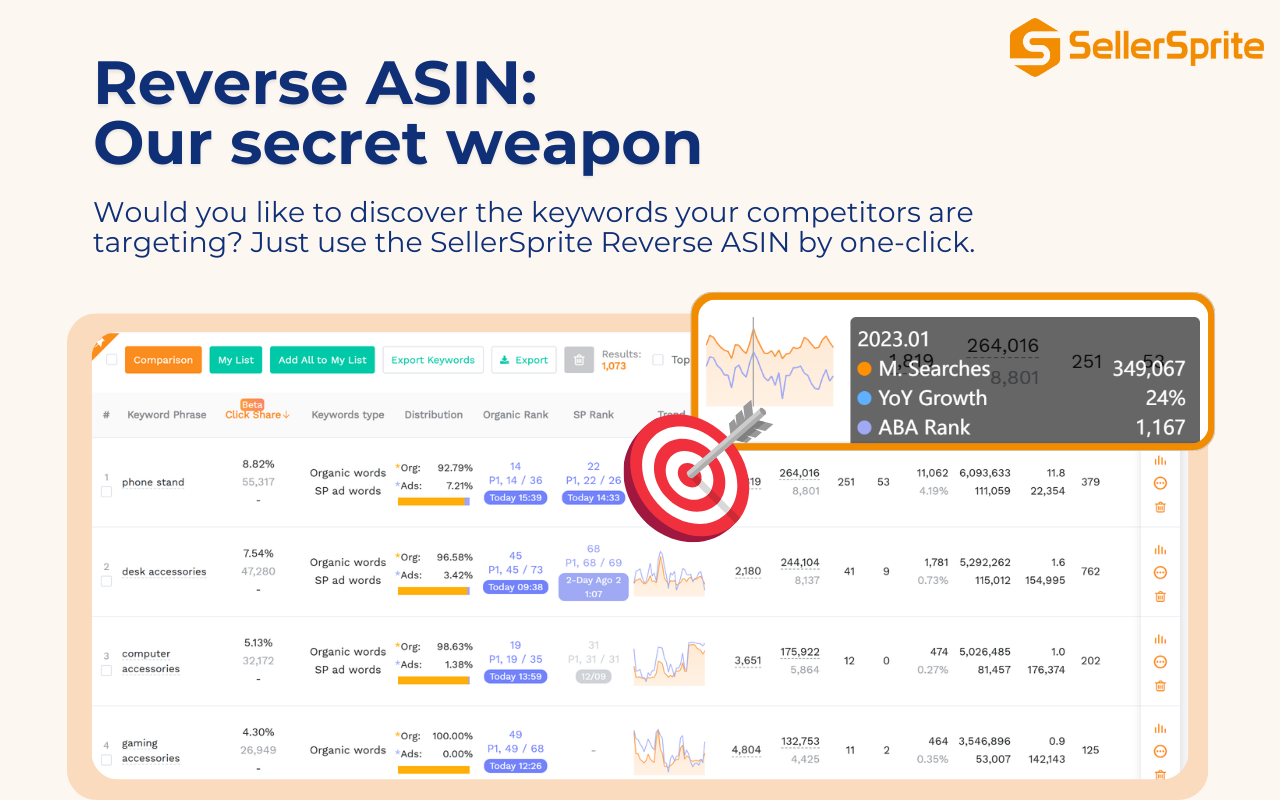
Use Keyword Mining, Reverse ASIN, and Keyword Analysis to:
Identify high-traffic keywords
Discover what competitors rank for
Add relevant terms to storefront titles and meta
📌 Use Keyword Explorer to skyrocket visibility.
✅ Competitor Analysis

Check how top sellers structure their storefronts using Competitor Lookup and Review Analysis.
Understand:
What visuals they use
Which CTAs perform best
How they price their products
📌 Spy smarter with Competitor Research.
✅ Listing Optimization Tools
A successful storefront links to optimized product listings. Use:
…to ensure your listings are ready to convert.
Free Tools to Help You Start
💡 SellerSprite also offers Free Tools like:
These tools are perfect for new sellers setting up their storefronts.
📌 Try the free tools here: https://sellersprite.ai
CTA: Ready to Build Your Amazon Storefront?
Whether you're a new seller or a seasoned Amazon pro, SellerSprite gives you the competitive edge to dominate in 2025. From niche discovery to storefront optimization—every tool you need is here.
✅ Create your free SellerSprite account today:
👉 https://sellersprite.ai/w/user/signup
Final Thoughts
Building an Amazon storefront in 2025 is not only easy but essential for branding and growth. With the right strategy and data-driven tools like SellerSprite, you can turn your storefront into a high-converting machine.
Don’t just sell—build a brand.
Start your Amazon journey the right way.


