This guide shows you a simple, repeatable way to validate Amazon product ideas using multiple signals: page 1 competition, Amazon demand, search volume, and cross-platform proof from Etsy.
Examples below focus on Amazon US and Etsy US. The exact numbers change by marketplace, so if you sell in the UK, DE, CA, JP, or any other site, repeat the same workflow after switching to that market and re-pulling the data.
Key takeaways
- Count real page 1 competitors on Amazon (ignore sponsored and off-topic results) to measure saturation.
- Use SellerSprite to pull demand signals like search volume, trend/seasonality, and top ASIN revenue estimates.
- Validate cross-platform demand on Etsy by estimating top listing revenue using a simple review-share method.
- Record everything in one spreadsheet so you can score and prioritize ideas with the same rules every time.
- A product idea is strongest when it has healthy demand, manageable competition, and a clear differentiation angle.
Table of contents
- The 5-step workflow
- Step 1: Evaluate Amazon competition (page 1 competitor count)
- Step 2: Estimate Amazon demand (top ASIN revenue and review reality check)
- Step 3: Add search volume (Amazon and Google)
- Step 4: Estimate Etsy demand and revenue (cross-platform validation)
- Step 5: Score and prioritize product opportunities
- Spreadsheet template (fields and example row)
- FAQ
- References
The 5-step workflow
Use this exact order, so your spreadsheet stays consistent across every product idea:
- Pick one clear keyword that describes the product idea (long-tail if possible).
- Count page 1 competitors on Amazon (only true direct competitors, ignore sponsored).
- Pull Amazon demand signals (top ASIN revenue estimate, ratings, review barriers).
- Add search volume (Amazon search volume, optional Google search volume for context).
- Validate cross-platform demand on Etsy by estimating top listing revenue.
Pro tip: Save a screenshot for each step (Amazon search results, SellerSprite metrics, Etsy listing, and shop page). When you review ideas later, screenshots prevent second-guessing and make your decisions easier to explain.
Step 1: Evaluate Amazon competition (page 1 competitor count)
Your first job is to measure how crowded the niche is. We do that by counting how many direct competitors appear on page 1 of the Amazon search for your keyword. This is fast, free, and surprisingly effective when you do it consistently.
Count page 1 competitors (manual method)
Search for your keyword on Amazon.
Example: tea infuser mug on Amazon.com.Ignore sponsored results.
Skip anything labeled Sponsored. Those are paid placements, not organic competitors.Only count direct competitors.
Count the listings that match the same product type you plan to sell. Do not count adjacent items that solve a different problem.Remove duplicates and obvious variants.
If the same product shows multiple times (variants, bundles, repeats), count it once.Record the final number in your sheet.
Use one consistent rule set so your counts are comparable across ideas.
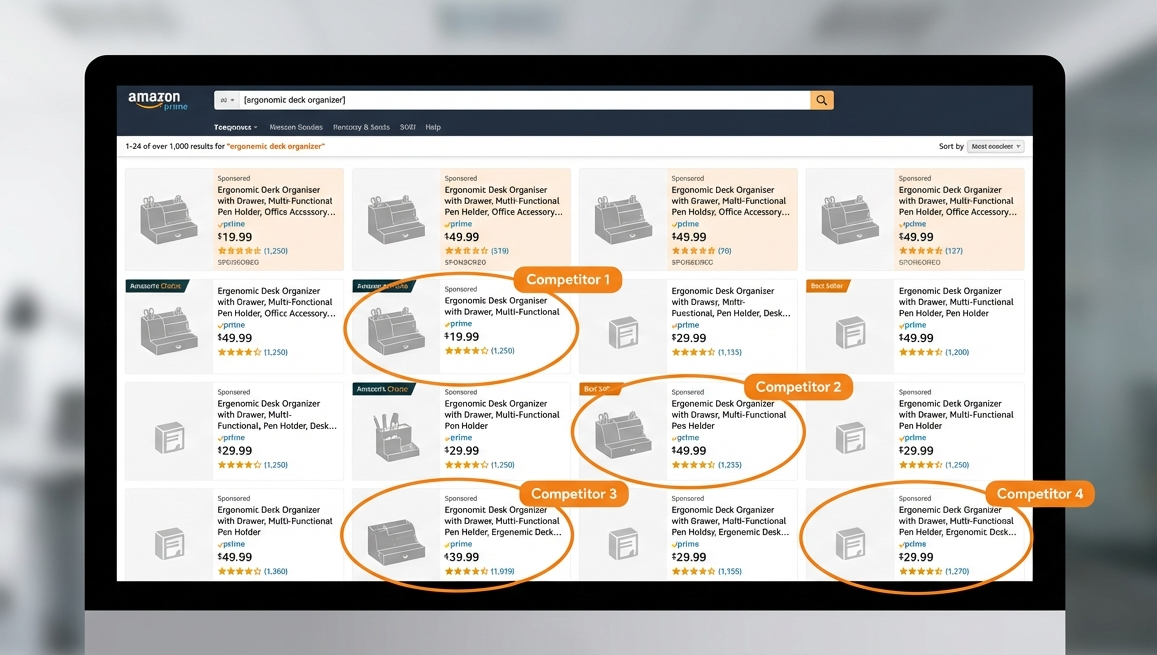
What counts as a direct competitor? Same customer intent, same product category, and similar use case. If a shopper would reasonably choose that listing instead of yours, count it. If it is a different product type, do not count it.
How to interpret the competitor count
- Low (about 0 to 10): Often a green flag, but validate demand next. Low competition with low demand is not helpful.
- Medium (about 10 to 30): Competitive but potentially winnable with differentiation and strong execution.
- High (30 plus): Saturated. Not impossible, but you will need a clear edge and stronger marketing to earn traction.
Mini checklist:
Page 1 competitor count recorded
Notes on what you counted and what you excluded
Screenshot saved for later review
Make Page 1 Research Faster With SellerSprite Extension
If you are doing a lot of manual counting, the SellerSprite Chrome Extension can help you move faster on Amazon pages and stay consistent.
Step 2: Estimate Amazon demand (top ASIN revenue and review reality check)
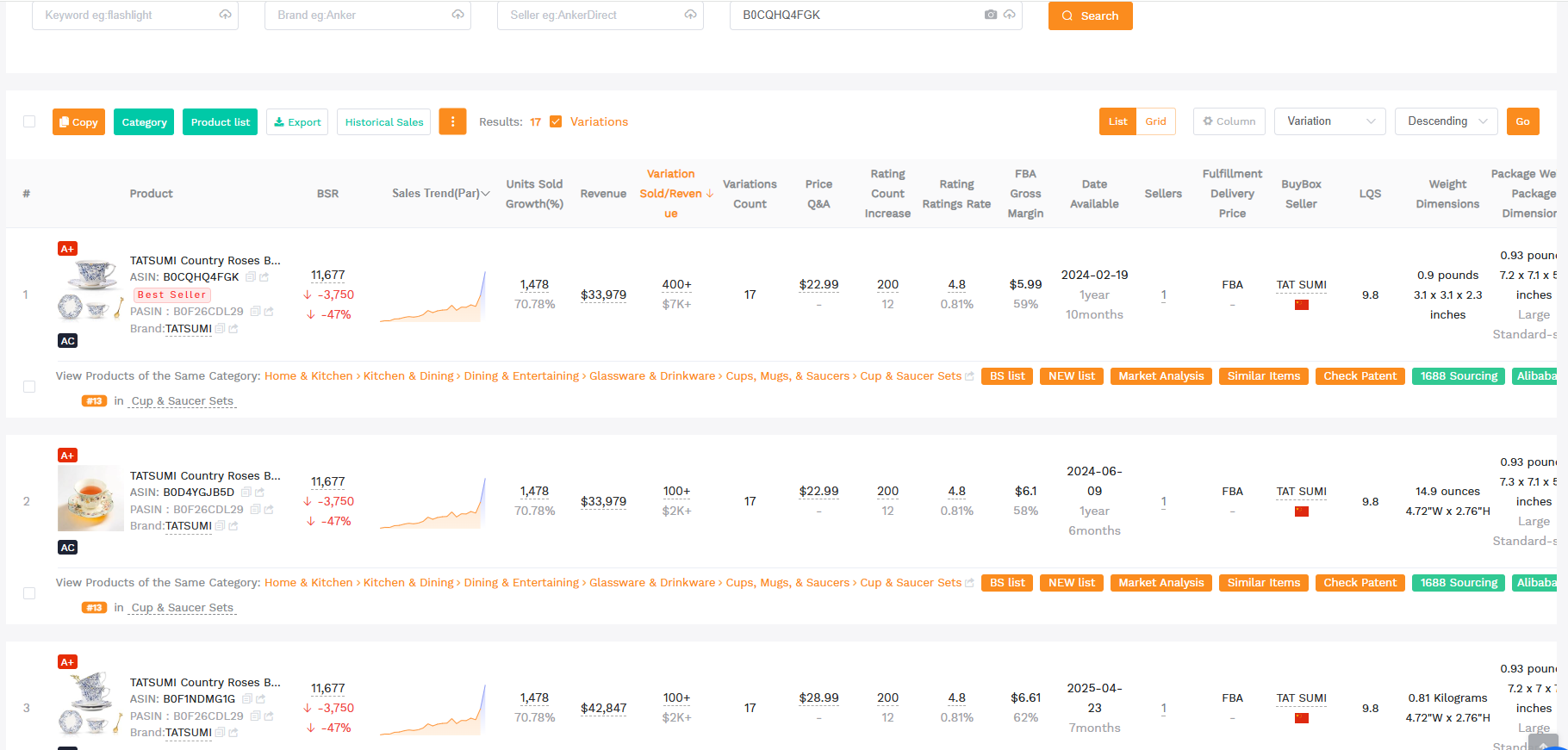
The competition count tells you how crowded page 1 is. Now you need demand strength. The easiest practical demand signal is: how much revenue the top listing is making (or how much the top few listings are making).

How to pull top listing revenue
- Find the top 1 to 3 organic listings for your keyword (ignore sponsored).
- Estimate revenue with a tool (SellerSprite Competitor Lookup is designed for this).
- Record either the top listing revenue or an average of the top 3, depending on your scoring style.
- Add context notes like price range, rating, and review count barriers.
Metric note: Revenue estimates are directional, not perfect. Use them for comparison across ideas, not as a guarantee. If your idea looks great only because one listing dominates and the rest are weak, treat it as a higher-risk niche that needs stronger differentiation.
Quick quality check: ratings and reviews
- Ratings: If top listings are consistently 4.5 plus, customers are broadly satisfied. You need a clear edge to compete.
- Review count: Hundreds or thousands can be a real barrier. Lower counts can mean an easier path to social proof.
- Review themes: Read 3-star and 4-star reviews for improvement opportunities (breakage, size, cleaning, missing features).
Mini checklist:
Top 1 to 3 ASIN revenue estimate recorded
Price and review barriers noted
One clear differentiation angle written in plain English
Try Competitor Research For Revenue Estimates
Use SellerSprite Competitor Research to estimate top ASIN revenue and compare how strong the leading listings are for your keyword.
Step 3: Add search volume (Amazon and Google)
Search volume helps you understand how often shoppers look for your keyword. It is most useful when paired with competition and revenue estimates.
Metric note: Amazon search volume is marketplace-specific. A keyword can be strong in Amazon US and weak in Amazon UK, or vice versa. Always pull volume in the same marketplace you plan to sell in.
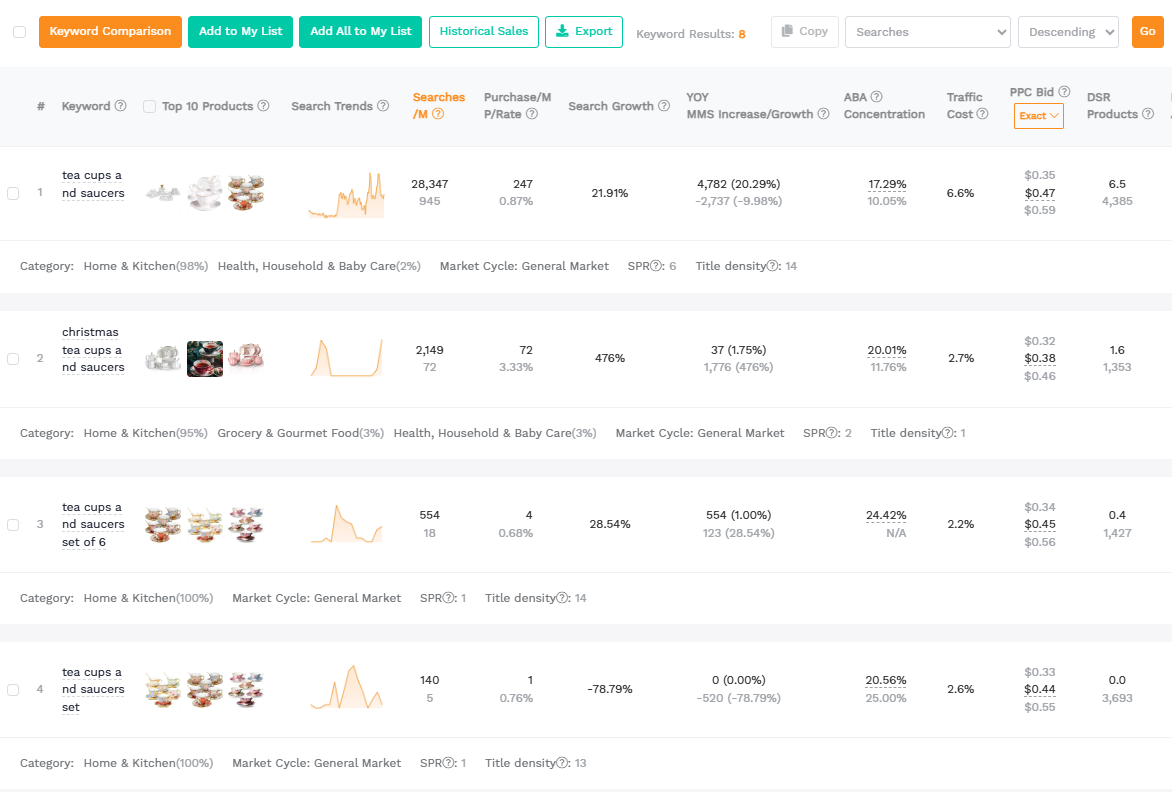
Get Amazon search volume with SellerSprite
- Open SellerSprite Keyword Research and select your marketplace.
- Enter your main keyword (use the same wording you used for competitor counting).
- Record: Amazon search volume, trend/seasonality, and 2 to 5 closely related keywords if helpful.
Optional: cross-check with Google search volume
Google volume is not a replacement for Amazon volume, but it can help you sanity-check overall interest, especially for products that may be driven by external traffic (social, content, gifting seasons). Use it as a secondary signal.
Common mistake: Treating search volume like a guarantee. High volume with intense competition is often worse than moderate volume with manageable competition and clear differentiation.
Mini checklist:
Amazon search volume recorded for the correct marketplace
Trend or seasonality noted (if available)
Optional Google volume recorded for context
Pull Search Volume With Keyword Research
Use SellerSprite Keyword Research to capture Amazon search volume and trends, so your spreadsheet stays data-driven.
Step 4: Estimate Etsy demand and revenue (cross-platform validation)
Why look at Etsy? Because Amazon's demand alone does not always tell the full story. Etsy can reveal whether a design style or niche variation has real buyer behavior in a different marketplace. This can be especially helpful for handmade-leaning categories, giftable items, and design-driven products.
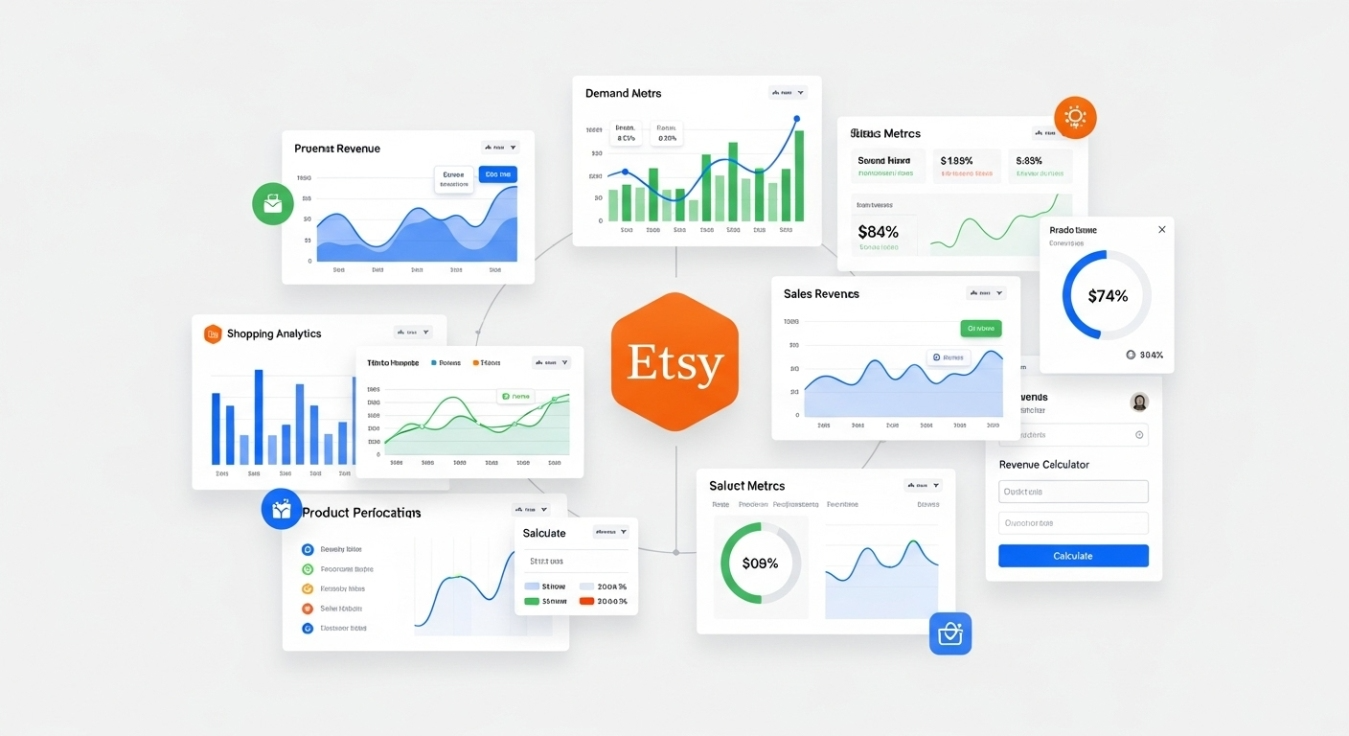
Reality check: Not every Amazon product belongs on Etsy. If you search and find few or no relevant results, mark Etsy as N/A in your sheet and move on. That is still useful information.
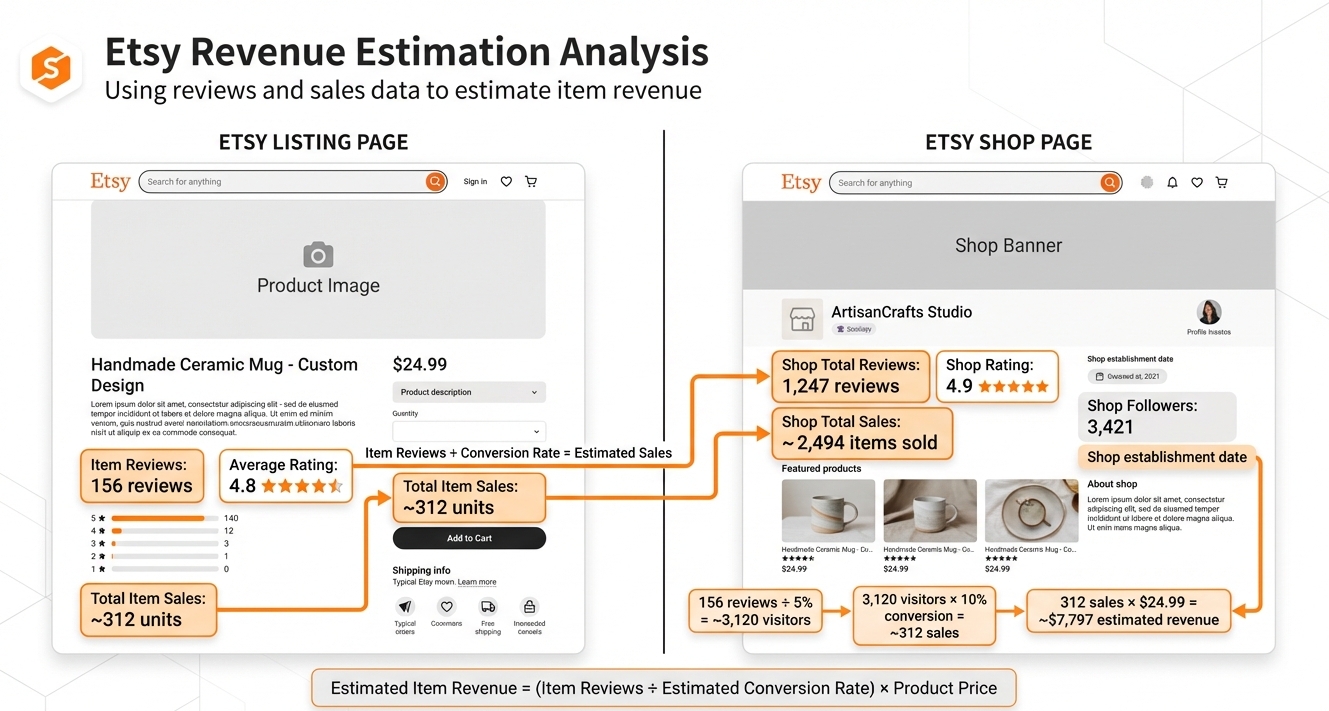
How to estimate Etsy revenue with a simple review-share method
Etsy does not always give you easy keyword search volume. Instead, we estimate demand from real sales behavior using shop-level sales and review ratios. This is a practical hack for quick validation.
- Search the product on Etsy using your keyword or a close description.
- Ignore ads labeled Ad by Etsy sellers, then focus on truly relevant items.
- Pick 2 to 5 top listings that match your product idea.
- Open each listing and record the item review count.
- Open the seller shop page and record total shop reviews and total shop sales.
- Estimate item lifetime sales using the ratio below, then multiply by price to estimate revenue.
Formula:
Estimated Item Sales = (Item Reviews / Shop Reviews) x Shop Total Sales
Estimated Item Revenue = Estimated Item Sales x Item Price
Worked example (illustrative numbers)
Below is a simple example using the method. Treat it as a template you can copy into your sheet:
- Item A: Item Reviews 13, Shop Reviews 701, Shop Sales 860, Price $60
- Estimated Item Sales = (13 / 701) x 860 = about 16
- Estimated Item Revenue = 16 x $60 = about $960
- Item B: Item Reviews 31, Shop Reviews 97, Shop Sales 2,828, Price $6
- Estimated Item Sales = (31 / 97) x 2,828 = about 902
- Estimated Item Revenue = 902 x $6 = about $5,412
How to use this result: If Etsy shows meaningful revenue for close matches, your idea likely has broader appeal. If Etsy revenue is consistently tiny or irrelevant, it does not kill the idea, but it reduces cross-platform confirmation.
Mini checklist:
Etsy's top listing revenue estimate recorded (or N/A)
Screenshot saved (listing + shop page)
Notes added: Does Etsy reveal a design variation worth adapting for Amazon?
Share Your Sourcing Journey With SellerSprite Community
Join the SellerSprite community on the Facebook Group to share your sourcing journey, ask questions, and get support from fellow Amazon sellers.
Step 5: Score and prioritize product opportunities
At this point, you should have enough data to compare ideas objectively. The goal is not to find a perfect product. The goal is to find the best opportunity among your options with the same scoring rules.
A simple scoring framework (1 to 5)
Use a 1 to 5 score for each dimension, then total them. Keep it simple so you can apply it to 30 to 100 ideas without overthinking.
- Amazon demand: based on top ASIN revenue and overall market strength.
- Competition: based on page 1 competitor count and review barriers.
- Search volume: Amazon volume plus trend stability (seasonality is fine if you plan for it).
- Cross-platform confirmation: Etsy revenue signal or N/A if not relevant.
- Differentiation potential: how clear and realistic your improvement angle is.
Decision rule: If an idea looks strong on demand but weak on competition, do not immediately discard it. Instead, require a stronger differentiation plan (materials, design, bundle, positioning, content, or price strategy) before moving forward.
Mini checklist:
Scores added for each idea (same rubric)
Top 5 ideas selected for deeper validation (supplier check, margin check, compliance)
One sentence rationale written for each top pick
View The SellerSprite Course Directory
Ready for the next step? Open the SellerSprite Academy course directory to continue building your Amazon FBA skills chapter by chapter.
Spreadsheet template (fields and example row)
Your spreadsheet is the system that keeps your decisions consistent. Below is a simplified layout you can copy. Add more columns later if you need them, but start with these.
| Keyword | Amazon Search Volume | Google Search Volume | Amazon Page 1 Competitors | Top Amazon Revenue (Monthly) | Etsy Revenue (Estimated) | Notes |
|---|---|---|---|---|---|---|
| tea infuser mug | INSERT | OPTIONAL | INSERT | INSERT | INSERT or N/A | Differentiation angle, review gaps, seasonality |
FAQ
How many competitors on page 1 is too many?
There is no universal cutoff, but once you consistently see 30 or more direct competitors on page 1, you should assume you need stronger differentiation and a bigger plan for traffic and conversion. If you are new, prioritize ideas with manageable counts unless demand is exceptional.
What if one Amazon listing dominates revenue?
Treat it as a warning sign. The demand is real, but the niche may be winner-takes-most. Look for the reason why the winner is winning (design, price, brand, bundling, listing quality), then decide if you can realistically out-position them.
What if Etsy has no relevant results?
Mark Etsy as N/A and move on. Etsy validation is helpful, not mandatory. Many practical, utilitarian products sell well on Amazon but do not fit the Etsy buyer intent.
Should I use lifetime Etsy revenue or monthly?
The method above is typically closer to lifetime estimation. That is fine for validation. You are comparing relative strength across ideas, not forecasting exact monthly performance.
References
- Amazon independent sellers and third-party selling overview
- Etsy Q4 and full year 2024 results (active buyers, GMS, marketplace context)
- SellerSprite Competitor Lookup
- SellerSprite Keyword Research
- Competitor Lookup guide (help center)
- SellerSprite Chrome Extension (Chrome Web Store)
Start your SellerSprite journey
Create your free account and start validating product ideas with data. Registration takes minutes, and you can start testing today.


